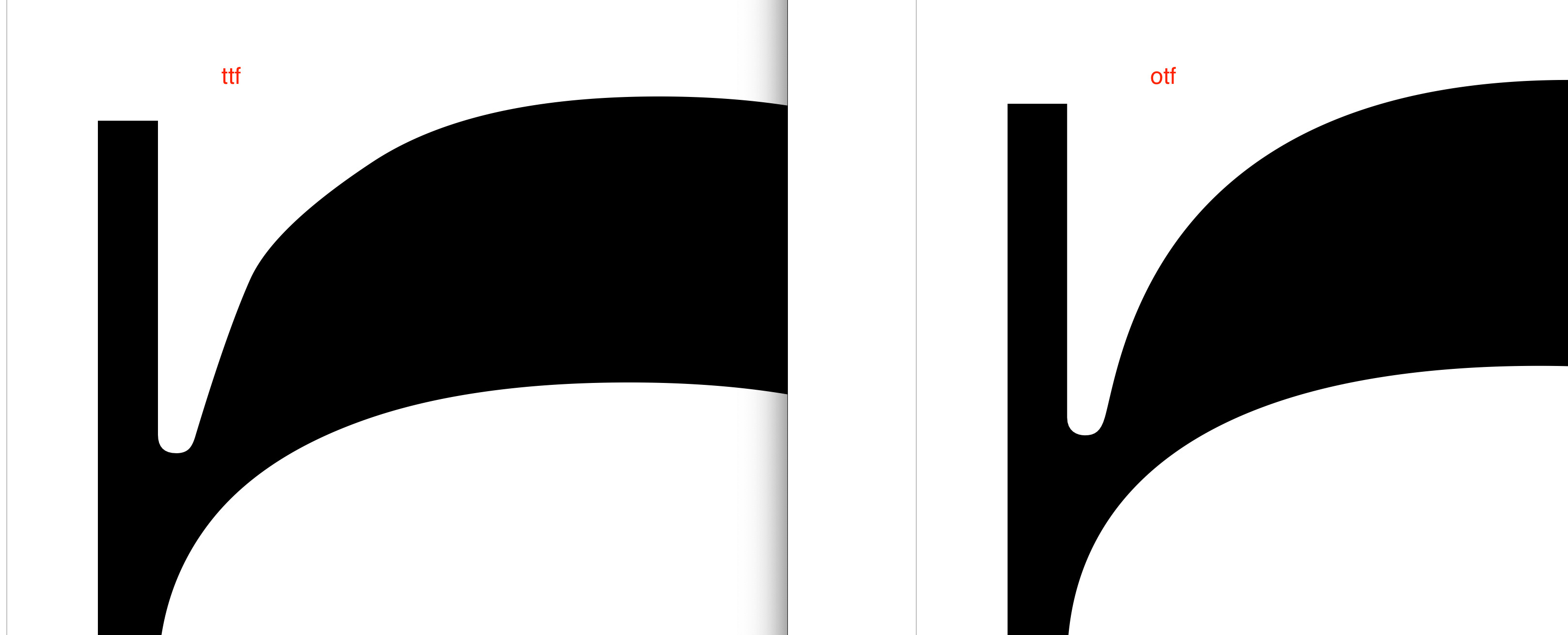
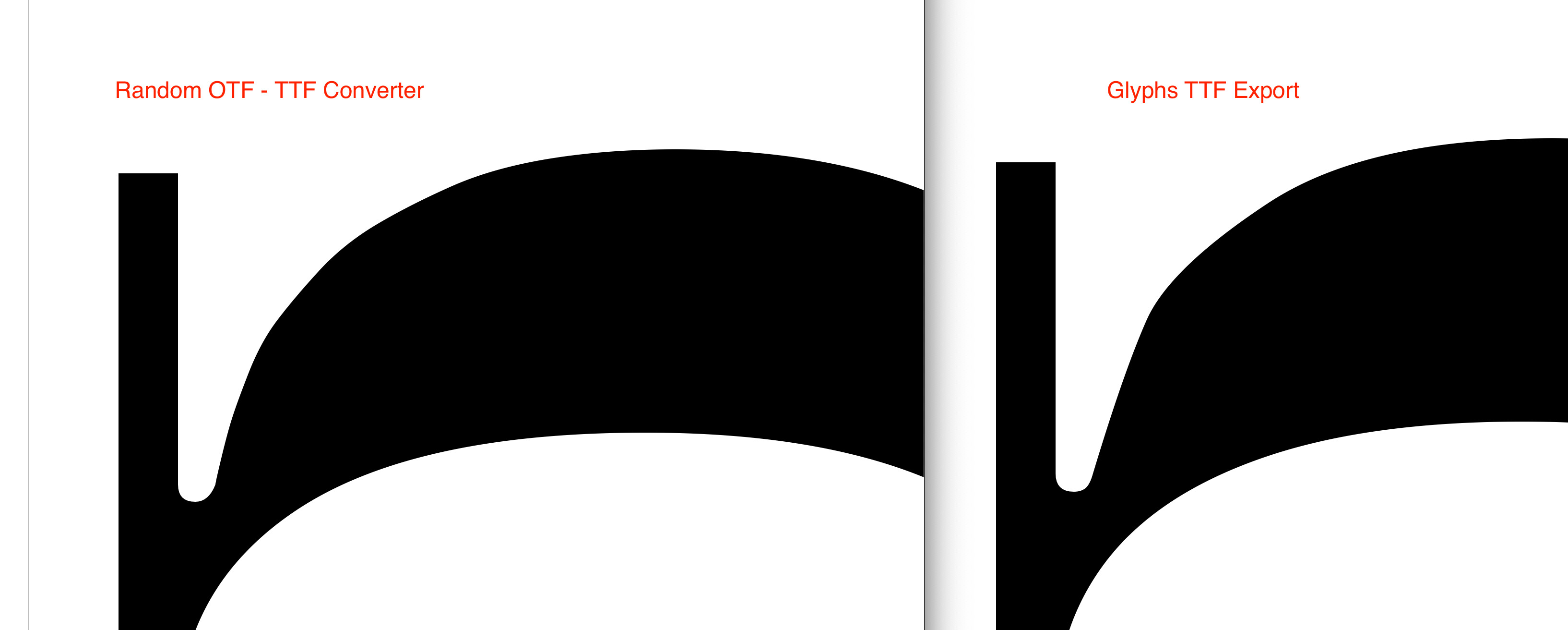
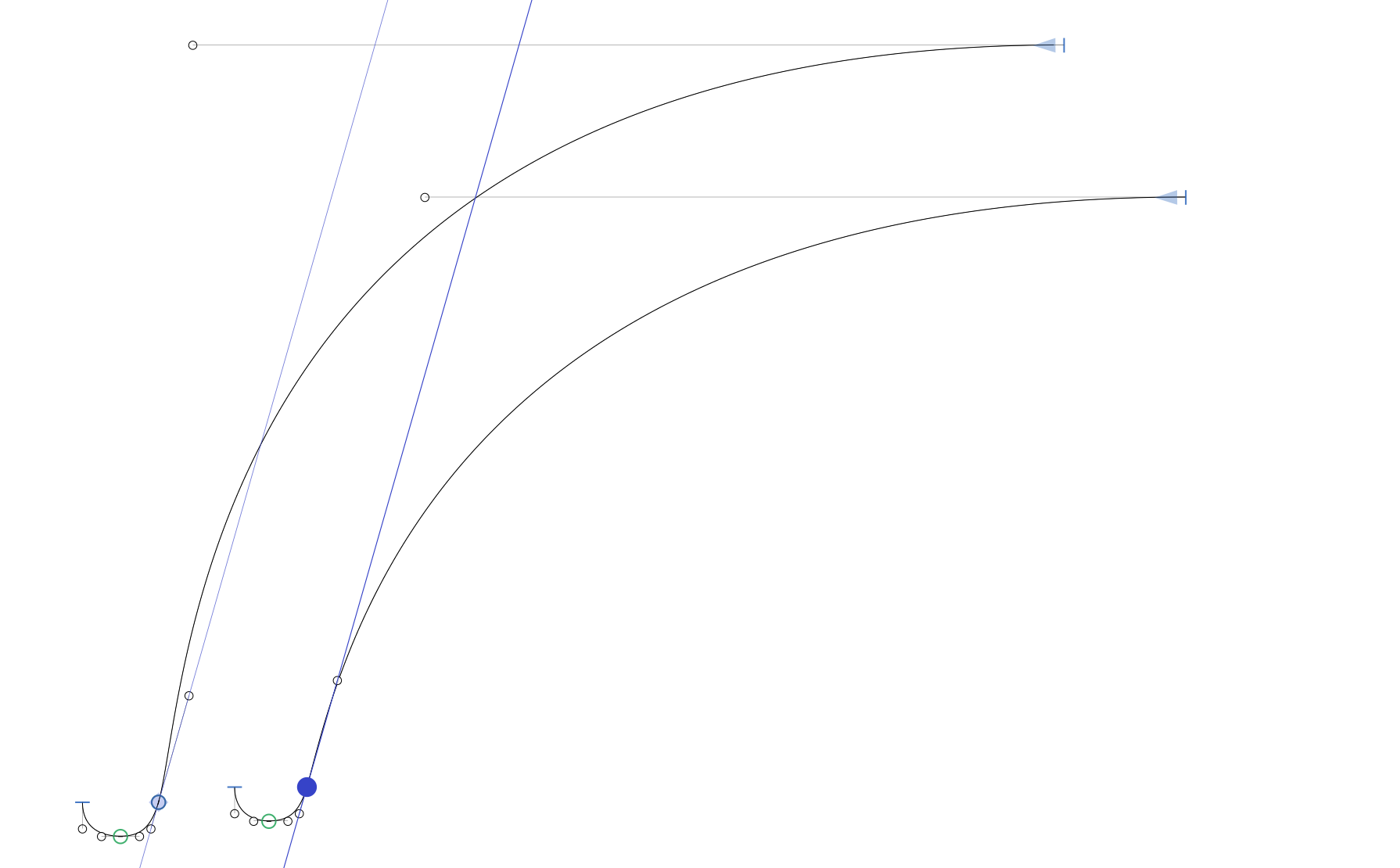
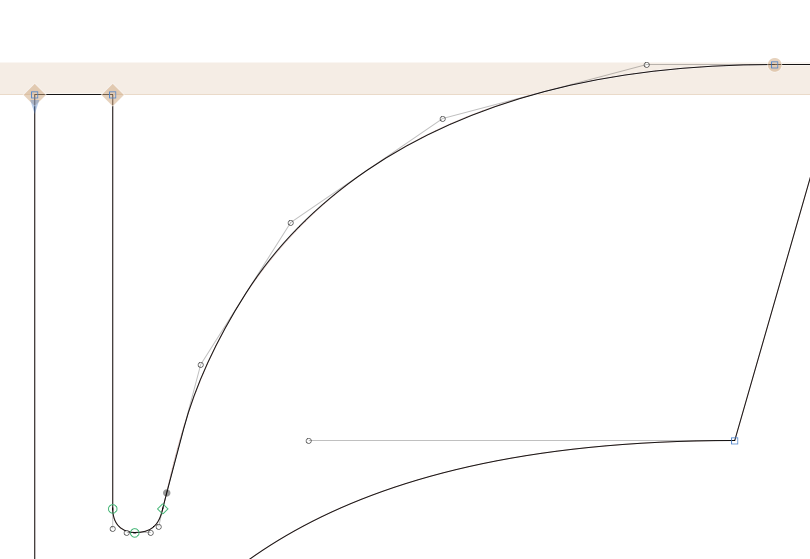
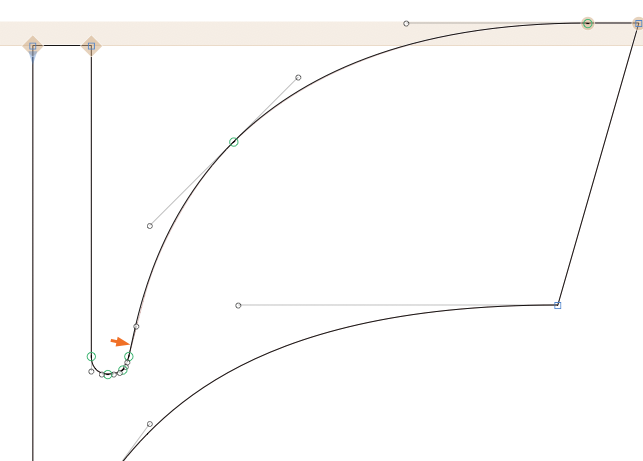
Outline Flavour TT is producing these kinds of kinks/flat curves where there aren’t any in the OTFs.
I’m aware there is a “laser beam” in the construction, but in this case it’s intentional. Anyway, I wouldn’t expect such a difference between TT and CFF exports. I also tested it with a random converter, and the result is smoother than the outlines exported by Glyphs.
I’m okay with exporting WOFFs with CFF outlines (although that’s not my standard workflow), but I would like to have some static TTFs with a much better result.
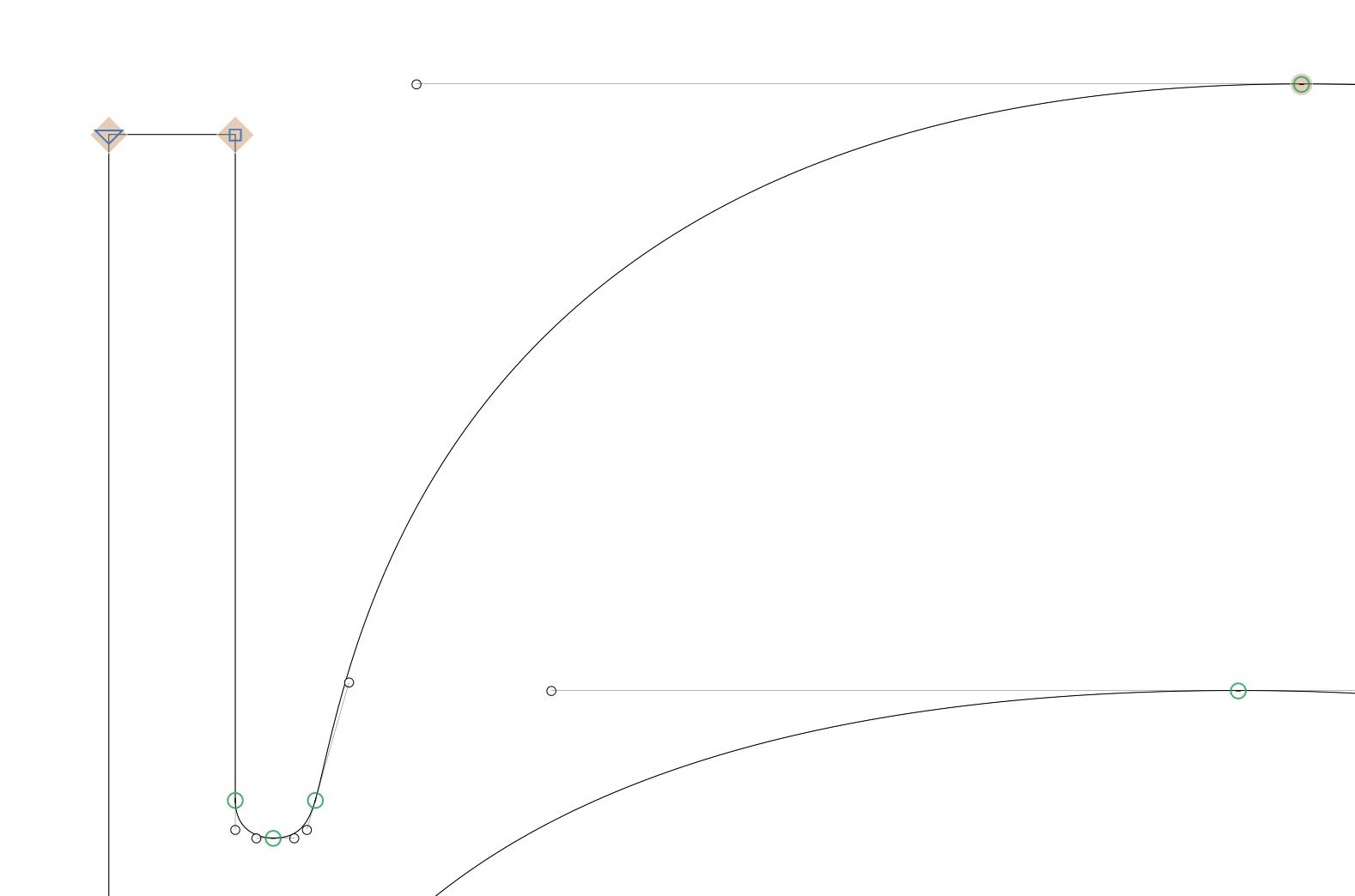
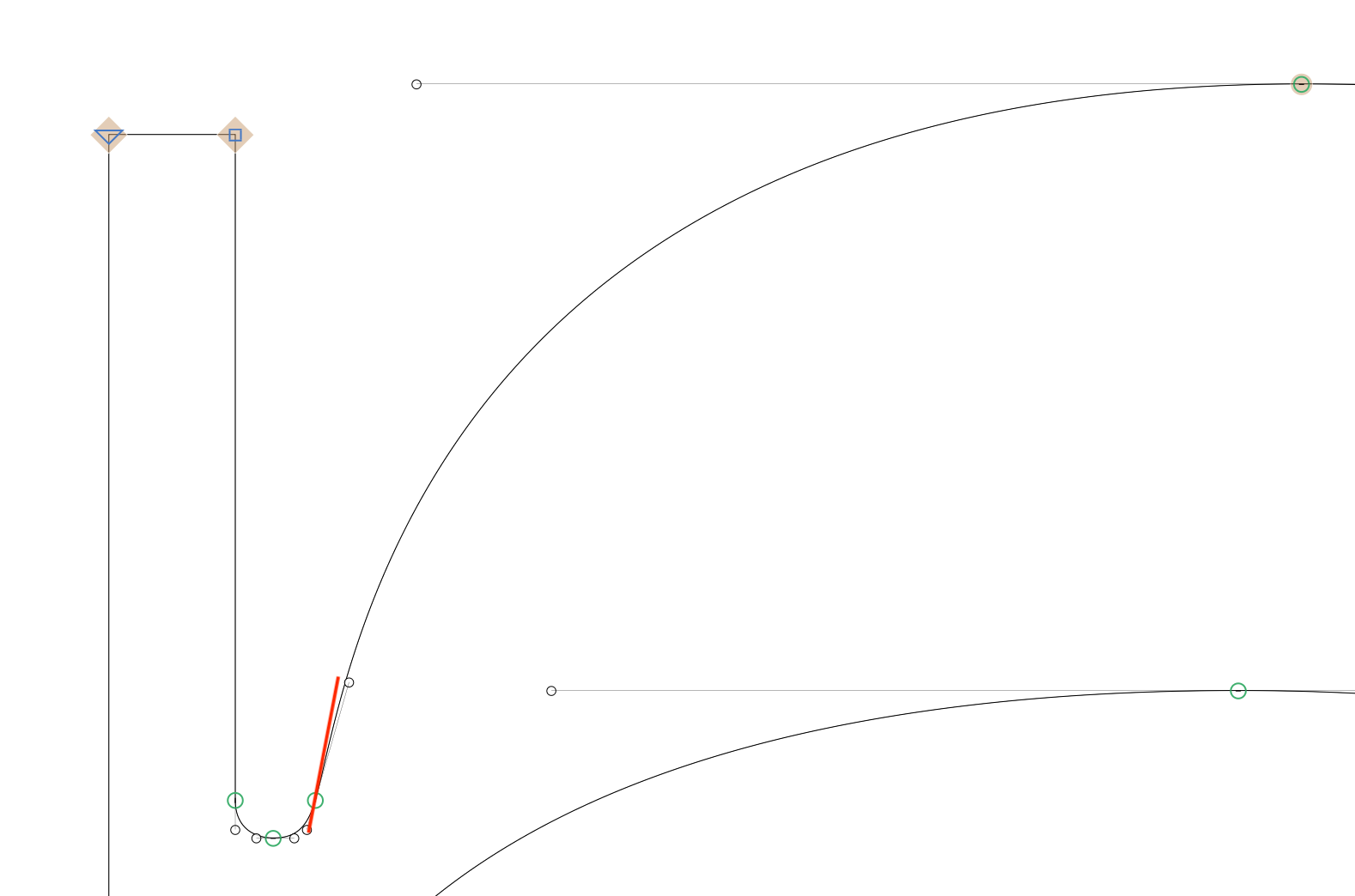
I believe the inflection is unintentional? If so, you can optimise the curve, i.e. change the angle into a steeper position and balance the curve handles on the big segment. Then the TT conversion is going to be much better.
Install the Show Angled Handles plugin and it will show you the problem (red X will appear on the top handle). With the plugin you will understand how to re-position them.
Also, Show Kinks is a useful plugin for these kind of proplems.
Everything on this outline is intentional. I built it this way so I could control 100% the interpolation between the 2 masters. I’m happy with the curves (CFF), the construction logic is replicated in other glyphs and it works on the system. This is a very display design and I want to make sure there is no kink on these segments.
The point was not the construction but the result of the curve on the TT export. I understand technically I don’t have the most balanced handles but I would like to make the best possible exports with them.
At the end, I will probably add a 3rd point to control this curve on the ttf exports.
Hmmm. Not sure. The top handle is unnecessarily long. I don’t think the inflection in the curve segment makes sense for the shape. What does the other master look like? Or is the image with the two curves next to each other showing both masters?
Having to adjust the handle relations means that the TT converter is not perfect (I know it’s a difficult task ad Glyphs is handling it very well already). Let’s not pretend there is any flaw in the way Francisco has drawn the curves.
TrueType curves can only represent certain shapes because of the underlying math. That means converting cubic curves to TrueType can be tricky. So if you need TrueType, sometimes, you need to compromise with the setup of the cubic curves.