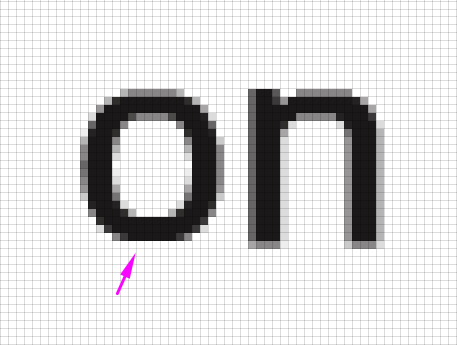
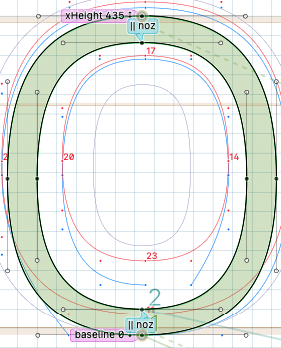
I noticed the Snap Points (A) don’t work as expected when they are applied to overshoots, letters like lowercase “o” look shorter, the base line point is above the baseline when it should be alined to it at small sizes. I’m not sure if this is a bug, I tested adding variable font origin custom parameter although this is a static font, I also tested removing the points and replacing them with Shift points (F) but in some cases like the “o“ and “e” you can’t do much since there’s no reference point to link; then I tested generating the font files in version 3260 and the font it’s working, is this an expected behaviour? in the case the Snap points stay this way in the new version, is there a hack or alternative option to keep the overshoots aligned to their vertical metrics line? Like some parameter to add or should I go back to version 3260? I’m testing the fonts on Adobe Illustrator 30.3 and when I hint them they look fine in the preview right sidebar in Grayscale, DirectWrite and ClearType rasterizers, but I think adobe’s rasterizer is called cooltype (not completely sure).
Thank you!
You should remove the pink “snap” instructions. Selecting a specific zone on them causes the distortion. They are meant for a different usage:
Choosing a zone will keep the node at a constant distance to the selected zone and ensure that the snapped node will not fall on the other side of the zone. Note that these zone options are not intended for snapping a node to a zone.
But when there is a “stem” instruction starting in the same place, the “snap” instructions are not needed at all.
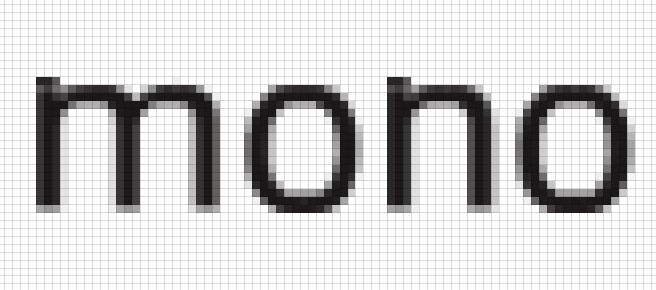
Thank you for your reply Jens, I’m doing the approach you suggested and it works on the base line when I test on Adobe Illustrator, in the waterfall view from Glyphs app it’s not very accurate; and the x-height gives trouble at the some ppems as shown in the image. I added a custom parameter TTFOvershootSuppressionBelowPPM 40 but it’s not working.
I see your point and I also checked the handbook for hinting examples, it should work. At the same time it’s strange the approach I’m using was working on a previous version, this is an inherited practice from MS Volt, I mean using the snap or anchor point with the stem hint, I leant that way, first anchoring the point then everything else.
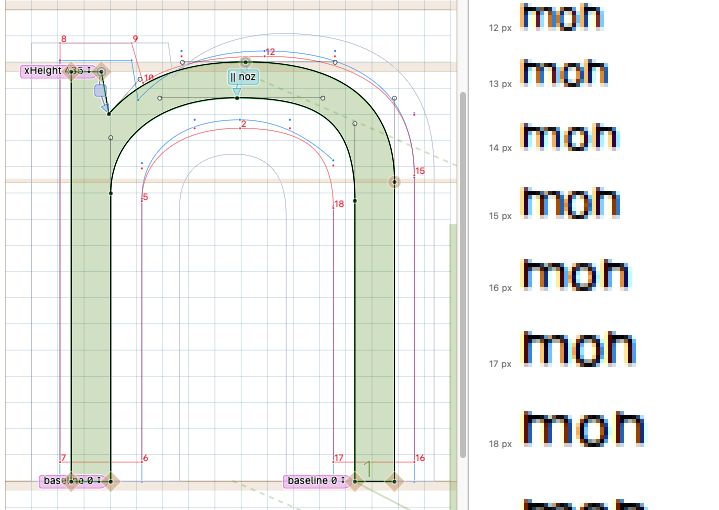
The issue can be solved on “m” and “n” with a Shift point (F) from the stem x-height to the arch, but for the “o“ I wonder is there’s a work around? I think I shouldn’t need a delta to solve this. Top image is adobe illustrator 30.3.