Hi there, I strangely cannot add any filters of any sort on my Glyphs (running on 3.4 cutting edge version). Anyone else running into the same issue? Thanks in advance!
Works for me. What kind of filter are you adding? Could you describe the steps where you click and what happens instead?
Any filter, smart filter, list or folder. When I click on the button it displays the filter window with the options, but nothing happens when I click on ‘ok’. Tried on a few different files, restarted glyphs, nothing happens still.
I also tried to re-install the app, doesn’t appear to fix it either.
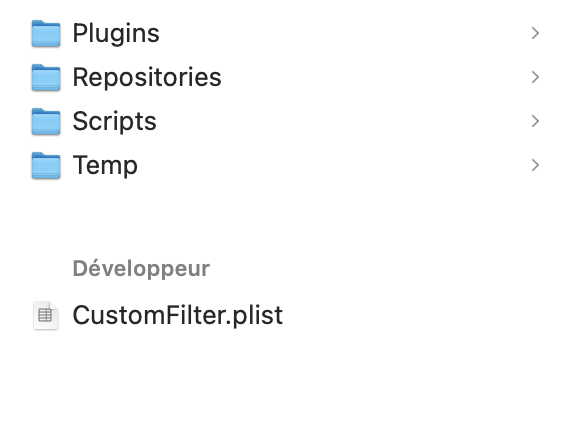
can you check if there folder ~/Library/Application Support/Glyphs 3/ and/or if the file CustomFilter.plist (in that folder) has write permissions?
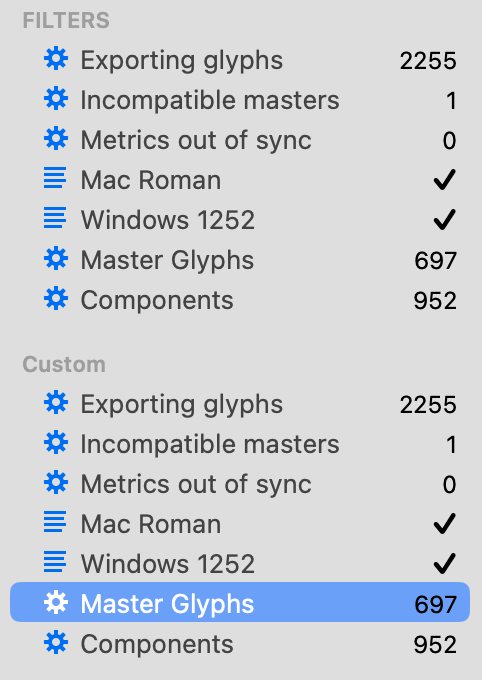
Okay I checked and everything was gone in the folder, so I redownloaded the .plist from a message from Florian on the forum. Now I have the filters back and I can add some new ones but they appear twice now:
Can you show a screenshot from the “Glyphs 3” folder?
In Finder, select CustomFilter.plist and open the file info (Cmd-I). Verify the permissions (it’s one of the sections further down, perhaps you need to click on the triangle to show the info).
do you you happen to have a CustomFilter.plist file next to your .glyphs file?