Variable font rendering improperly in Cavalry when animating

Hi all, this is almost definitely a mistake on my part, and I’m wondering how I might fix it -

I’m trying to animate my first variable font in Cavalry, but I’m getting gaps or “broken joins” when interpolating between masters…

This doesn’t happen in Affinity, or Illustrator.

I haven’t merged all the parts making up each letter; there’s a lot of overlap. Other than that it’s fully compatible across masters, so I’m guessing that could be the main issue. Is it customary (or necessary) to remove ALL overlaps when making a variable font? Or maybe it’s just an issue with Cavalry?

Thanks <3

Overlaps can’t be removed (reliably) in variable fonts, at least on export. Can you show how you drew these outlines in Glyphs?

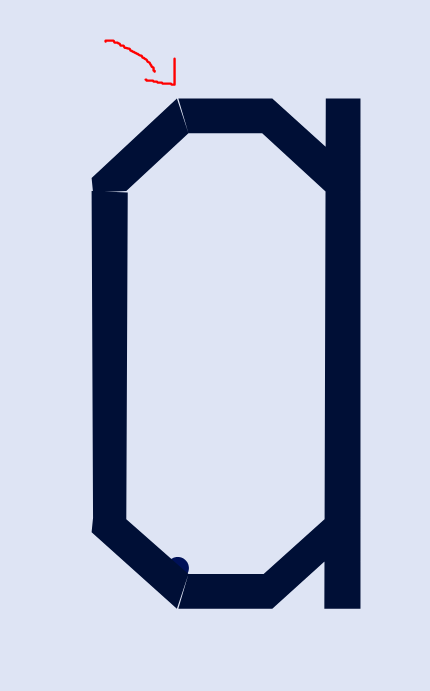
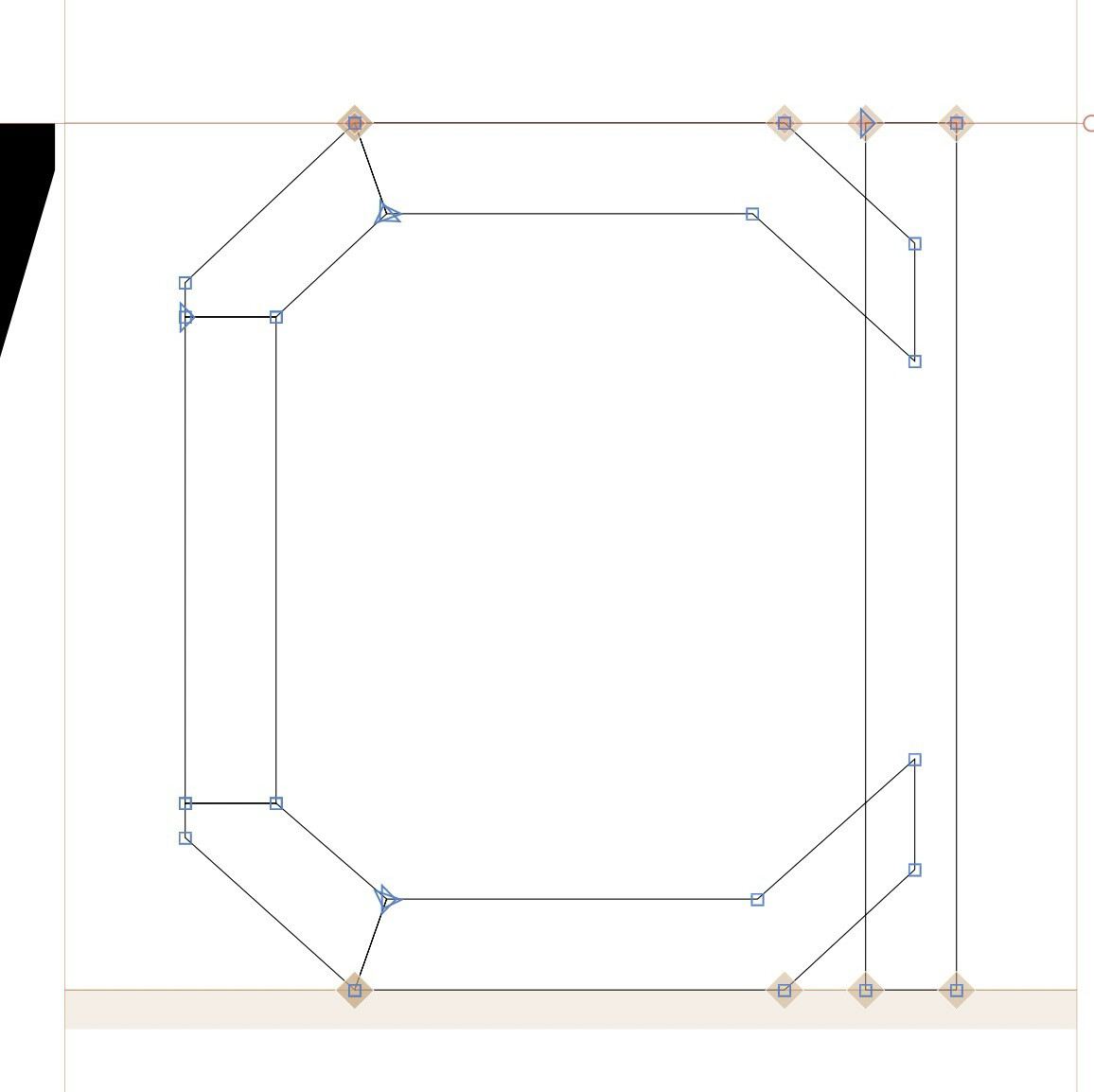
Here’s an example of lower-capital a:

Sorry for taking long to respond - didn’t have access to the computer yesterday :sweat_smile:

It is a bit tricky to see. But it seems that the path direction is wrong. All black paths need to be counter clock wise. Wrong path direction can cause rendering issues.

And do you need the gaps for anything (e.g. is there a “gap” axis?). Add a tiny overlap to avoid gaps.
1 Like

I had no idea black paths needed to be counter-clockwise! Thank you -
I definitely don’t need the gaps for anything. I’ll try overlapping

Or remove overlap altogether.

1 Like

Keep the overlap with the stem, but merge all the bowl pieces into one.

1 Like

Yeah, makes sense. Thanks a lot!