Hi everyone,
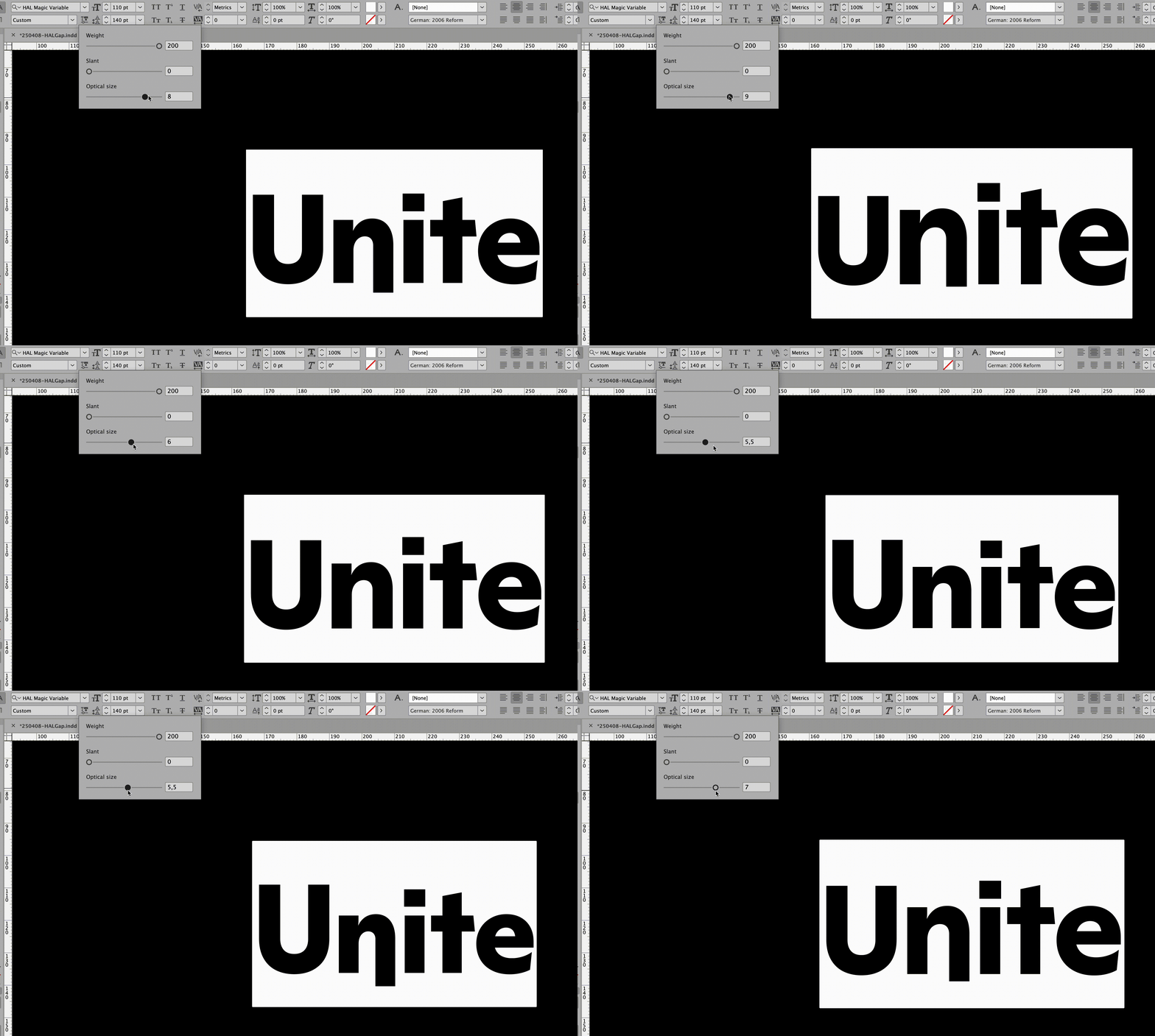
we encountered a similar display bug only in Indesign, so I was wondering if there are any known solution/fixes for this? (see sceenrecording)
thank you in advance!
Hi everyone,
we encountered a similar display bug only in Indesign, so I was wondering if there are any known solution/fixes for this? (see sceenrecording)
thank you in advance!
You mean the “n” dipping below the baseline? Do you have any TrueType instructions?
HI @GeorgSeifert Yes, exactly. I am happy to share the VF file with you:
**Note we have disabled some glyphs + features for testing
PLease let us know, in case you need any more information
and thanks in advance!
Can you send me the .glyphs file?
I ve sent you pm!
Thank you for looking into this Georg 
I found the problem. Indesign seems to interpret the variation data differently than everyone else. I might be able to circumvent it.
Until I fix it, please add a “Optimize Variable Deltas” custom parameter (uncheck it) in the Variable instance.
This sounds like something that should perhaps be put to Adobe’s attention so they can fix it?
I will look into this more and then send it to adobe if needed.
Thank you Georg – this work around seemed to have helped!
Very happy it works for now!
I added a bug report: variable fonts – Adobe InDesign Please vote it up.
It’s logged and I added more info to the issue. It’s not only InDesign. It’s a CoolType issue so affects Photoshop and Illustrator as well.
Can you add that same ImpliedDeltasVF.ttf test font here, but with “Optimize Variable Deltas” off? Ah, never mind. I just re exported it myself. I’ll add that to the issue.