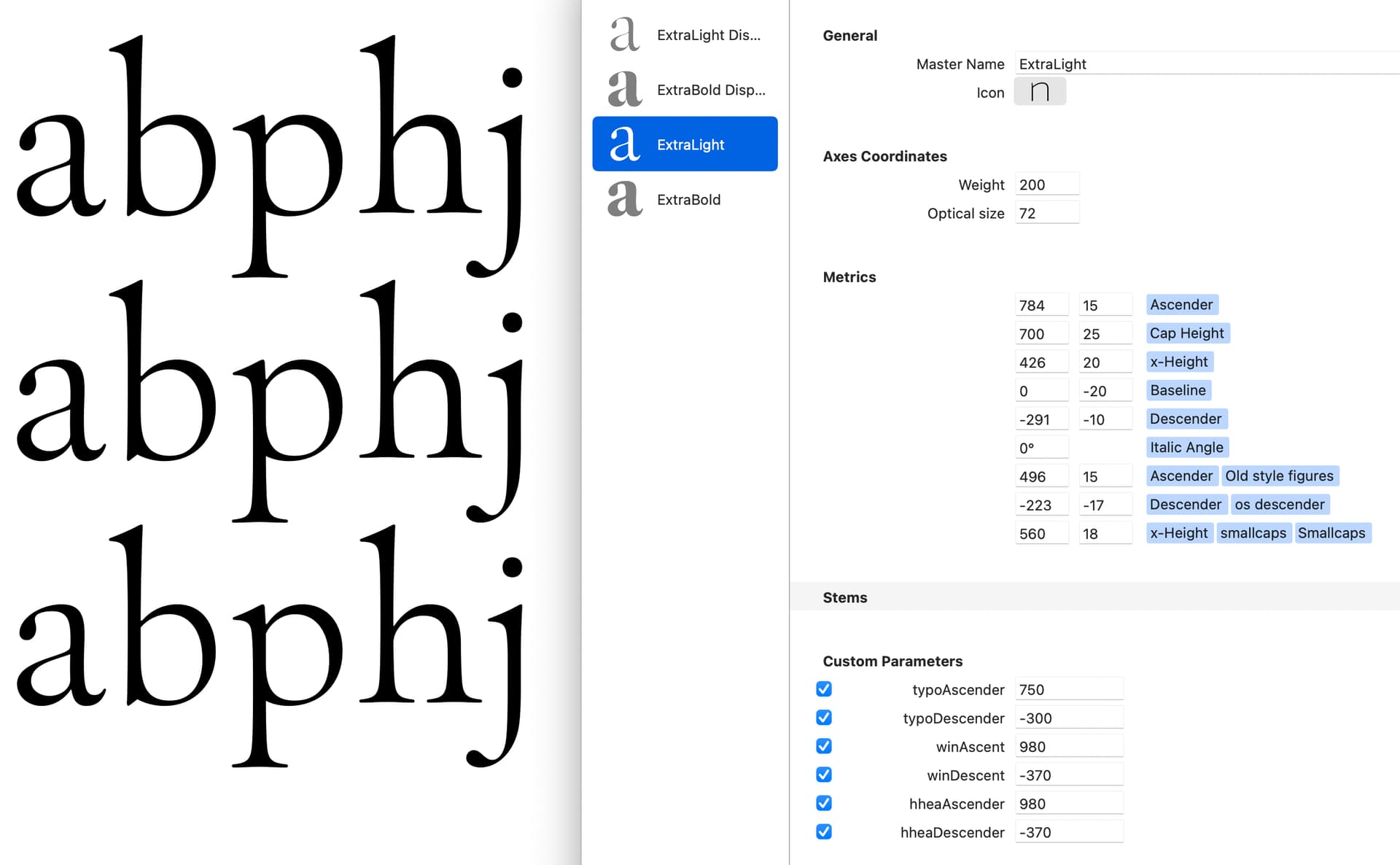
I have generated my variable family, and I have noticed the line space in InDesign is different from the Glyphs screen. The InDesign is set 60/60pt.
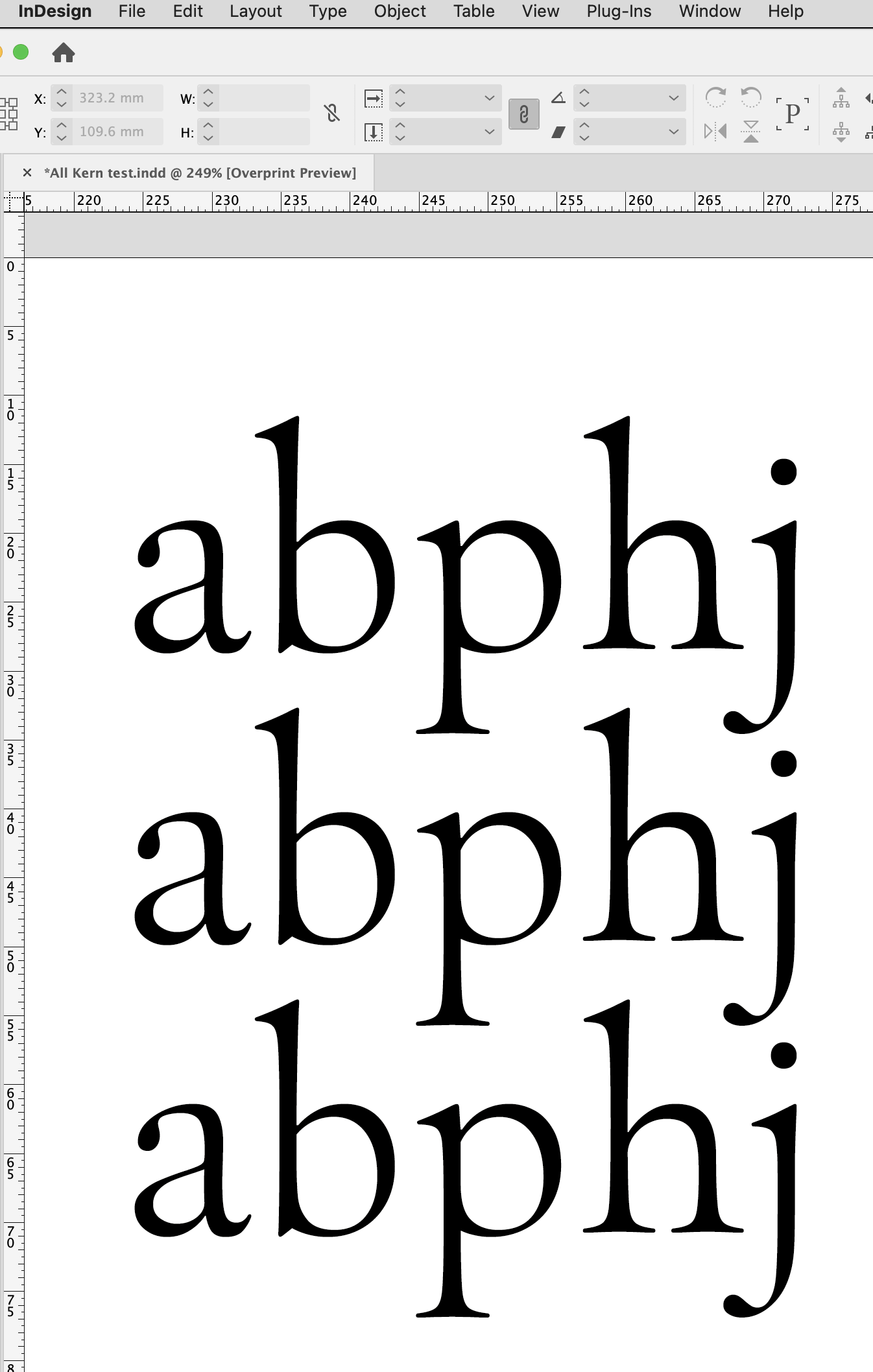
InDesign leading is much tighter than the Glyphs sample.
It’s the same for each weight.
I have generated my variable family, and I have noticed the line space in InDesign is different from the Glyphs screen. The InDesign is set 60/60pt.
Can you show vertical metrics settings?
What is your UPM?
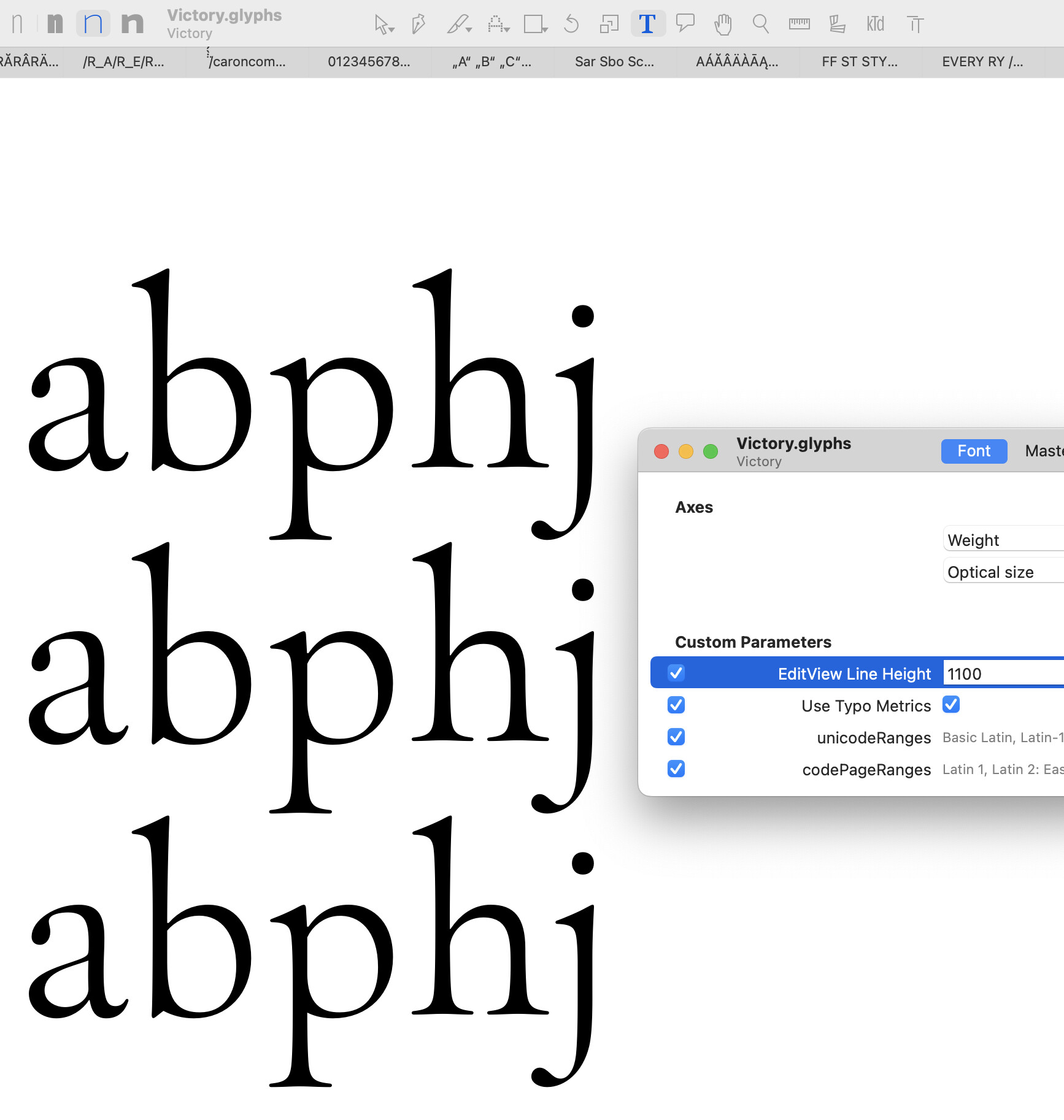
(If it is 1000, the EditView Line Height custom parameter is set to add 10% in Glyphs’ default Edit view.)
InDesign is not ignoring vertical metrics and instead uses the height of letter d to define line spacing?
I think the height of the “d” is used for the first baseline. From there it uses a default line height (120% of UPM).
First baseline is one of five options in the box settings Cmd-B. Interline spacing entirely determined by the user.
But in this case, the InDesign text is set at 60/60pt, with a fixed, user-set leading, so it shouldn’t be defaulting to 120% of the UPM.
When set to 60/60pt, you would need to set the EditView Line Height parameter should be 1000 to get the same spacing.
I presume that’s why Rainer asked what the UPM setting is (which Nick still hasn’t answered, as far as I can tell). If the UPM is 1100, then the EditView Line Height parameter is correctly set at 1100 to match InDesign’s 60/60, right?
The UPM is 1000. Sorry for the late reply.
That explains the discrepancy, then: setting EditViewLineHeight to 1100 is equivalent to setting the text in InDesign to 60/66pt.
I’m sorry, but I’m completely lost when it comes to the subject of vertical metrics.
Having read the Vertical Metrics tutorial I am even more confused. Is there a simplified version anywhere? All I want is for the line space not to be so tight, (ie. overlapping ascenders and descenders) when set solid. I have made many fonts in the past but this one has me flummoxed.
Unfortunately, I think the Vertical metrices page is the simplified version. Getting line heights and metrics to work the same in all environments is not a simple matter. 
From the screenshot of your metrics further up, it looks like your winDescent value is negative (-370), which according to the VM page won’t work – the win values are unsigned, so they should always be positive numbers. You also don’t have any line gap values (which InDesign won’t use, but other apps will).
Have you tried applying the webfont strategy and seeing how that works out? Make sure to remove the EditView Line Height custom parameter, since that will change the line height in the edit view within Glyphs, but have no effect on the exported font, so it’ll mislead you when you preview.