I’m running into a menu-ordering issue with a variable font family and wondered if anyone could point me toward the likely cause.
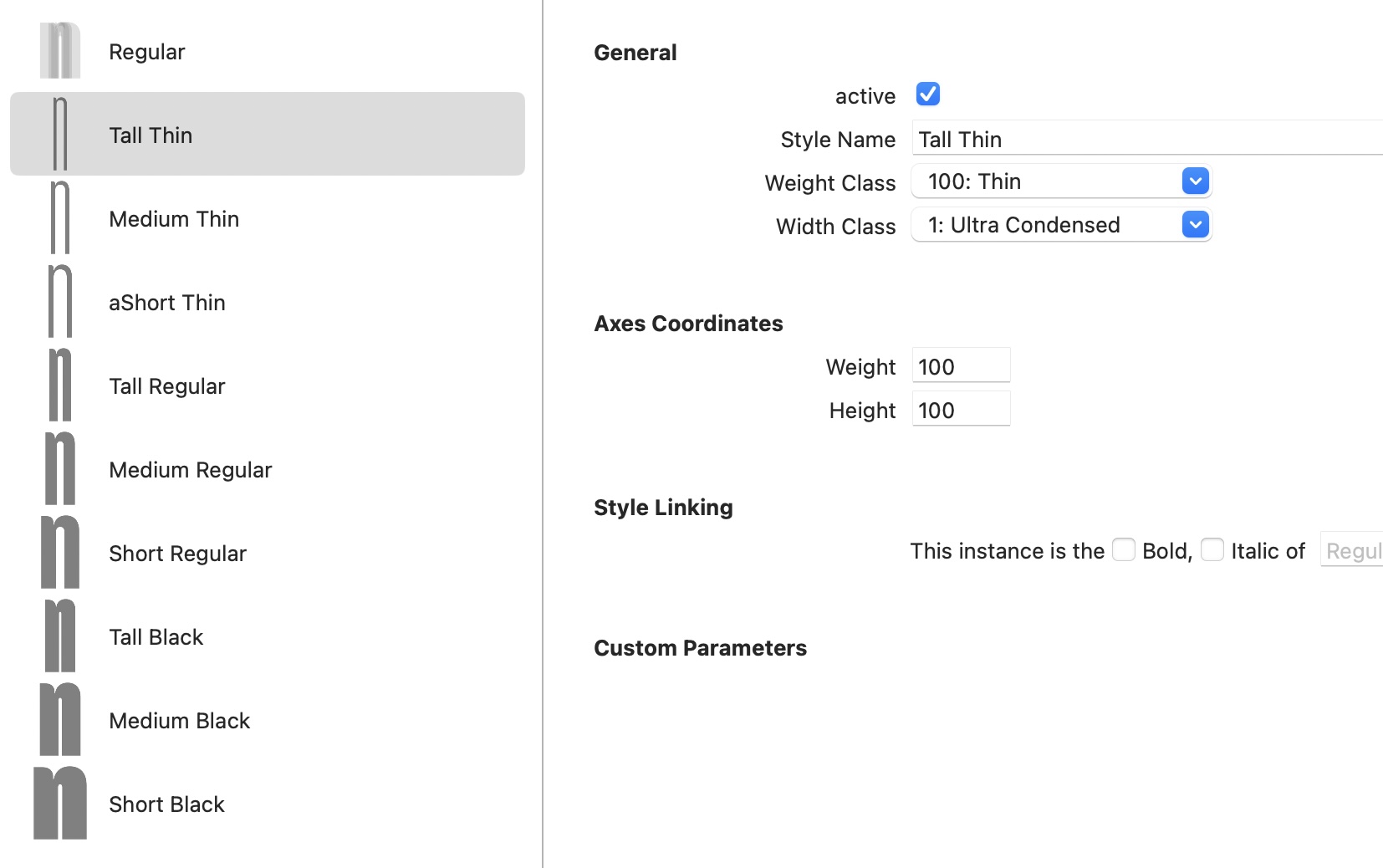
The condensed family has three proportional “height” groups, which I’m currently mapping semantically using WidthClass:
Short = 1 (Ultra Condensed)
Medium = 2
Tall = 3
…with weights inside each:
Thin
Regular
Black
The static OTF exports behave correctly in Adobe apps and Figma, sorting as expected by WidthClass then WeightClass.
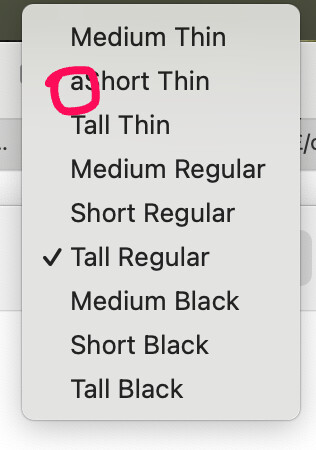
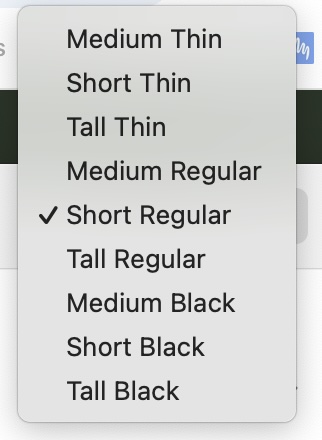
However, the VF behaves differently in both Figma and macOS Font Book. The VF instances are grouped by weight correctly, but the ordering within each weight group becomes:
Medium Thin
Short Thin
Tall Thin
…etc.
What’s interesting is:
this is NOT alphabetical ordering (I even added an “a” prefix to one style name and the order was unaffected)
changing style names doesn’t affect it
the static exports sort correctly using the same naming logic
Has anyone run into similar VF ordering behaviour before, particularly in Figma or Font Book?
I was sure this simple suggestion would crack it, but alas I’m still getting an unusual order.
I played with changing the font origin and swapping the master order but no positive change.
Any thoughts?
You can’t control the instance order apart from axis order, and this might also vary from application to application. Nothing else you can do apart from setting the correct weight and width class (for static fonts) and ordering the axes (for variable fonts).
I’m testing in:
Font Book and Figma which mirror each other (assuming because Figma is looking your system installed fonts)
MS Word - Listing by Weight despite ‘High’ being first axis
Adobe, Illustrator and InDes – These are showing the fonts in the order I wanted/expected.
The Variable Origin, seems to have a small effect - It’s the style Font Book shows to represent the font (but doesn’t effect the main list order) and in Adobe, whichever style you choose jumps it to the top of the list but without changing the rest of the ordering.
Does the order of my masters and instances (in the Masters/Export tabs) have any effect?
Are you sure that you’re not running into font cache issues? If the style ordering is correct in InDesign and other application where you are 100% certain that you’re testing the latest files, that’s all you need to know.
In any case, you can’t do anything more about the style ordering than what you’ve already set up.
I chose the second master down on the font origin list and in both PS and InD the instance menu only showed the one instance I’d chosen. I didn’t take a screenshot but if I get a moment next week, I’ll try to recreate it.
did you check if it was really about the first/not first or just that it was a different master? Try to reorder the masters (so that the origin is always first) …