Hi everyone,
I’m experiencing a strange display/rendering issue in Glyphs 4, and I’m not sure if it is related to zooming, screen rendering, or something else.
The spacing values between the glyphs do not change, but the way the glyphs are displayed changes significantly when I zoom out using Alt/Option.
I have attached four screenshots:
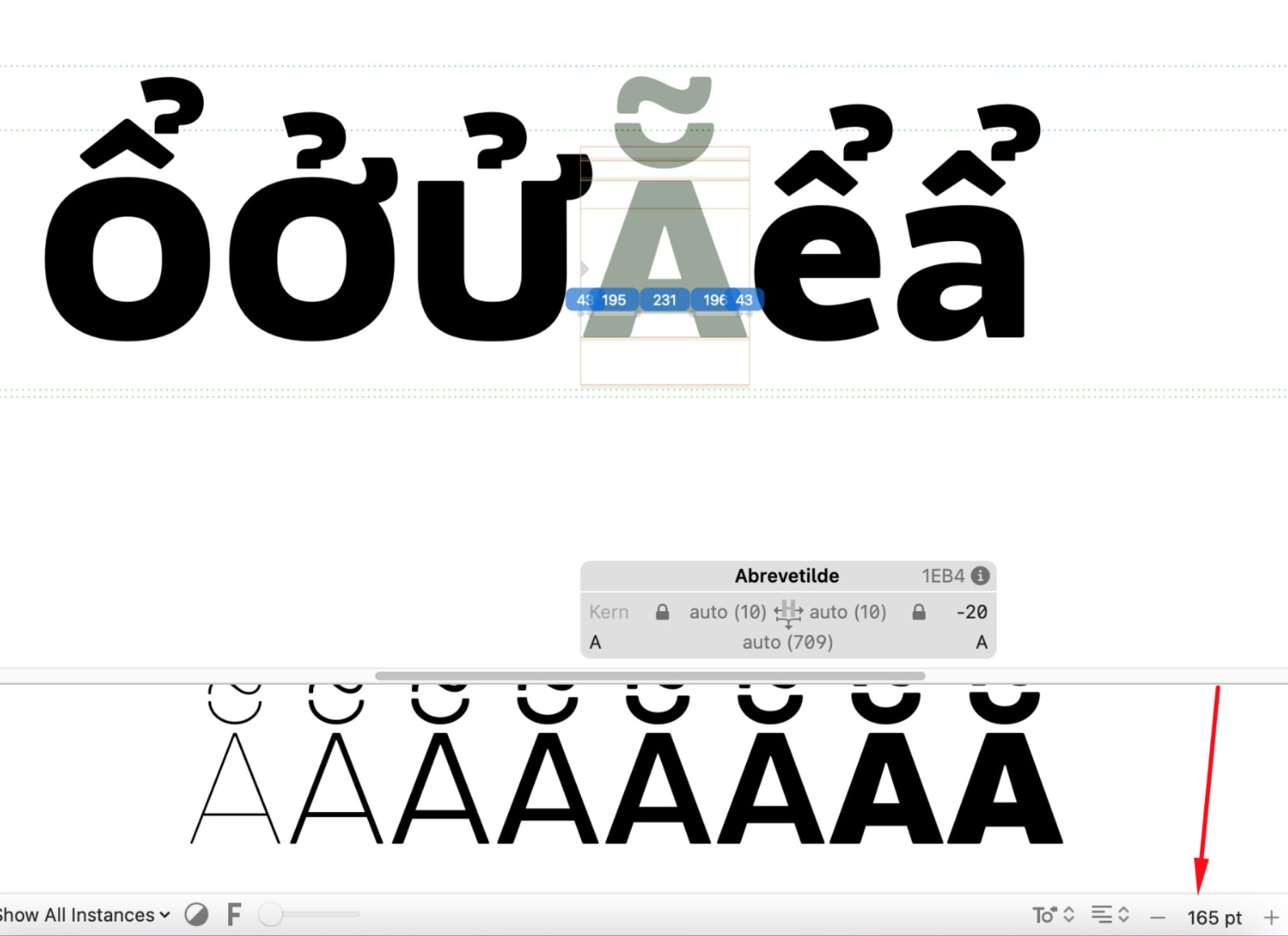
The text is displayed at 160 pt in the normal view. The glyphs appear correctly spaced.
*
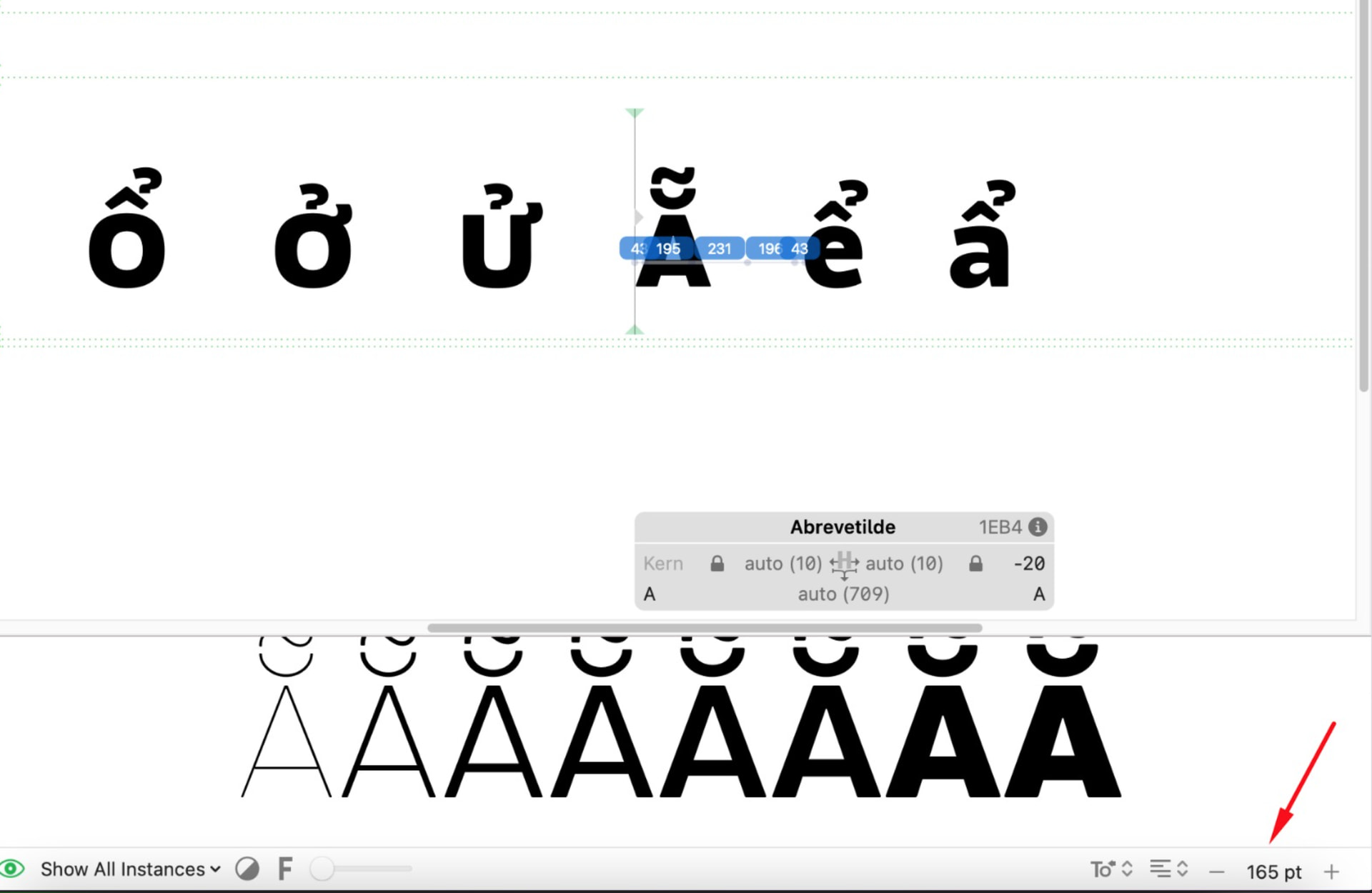
I press Alt/Option to zoom out. The spacing values remain the same, but the visual distance between the glyphs becomes noticeably larger.
*
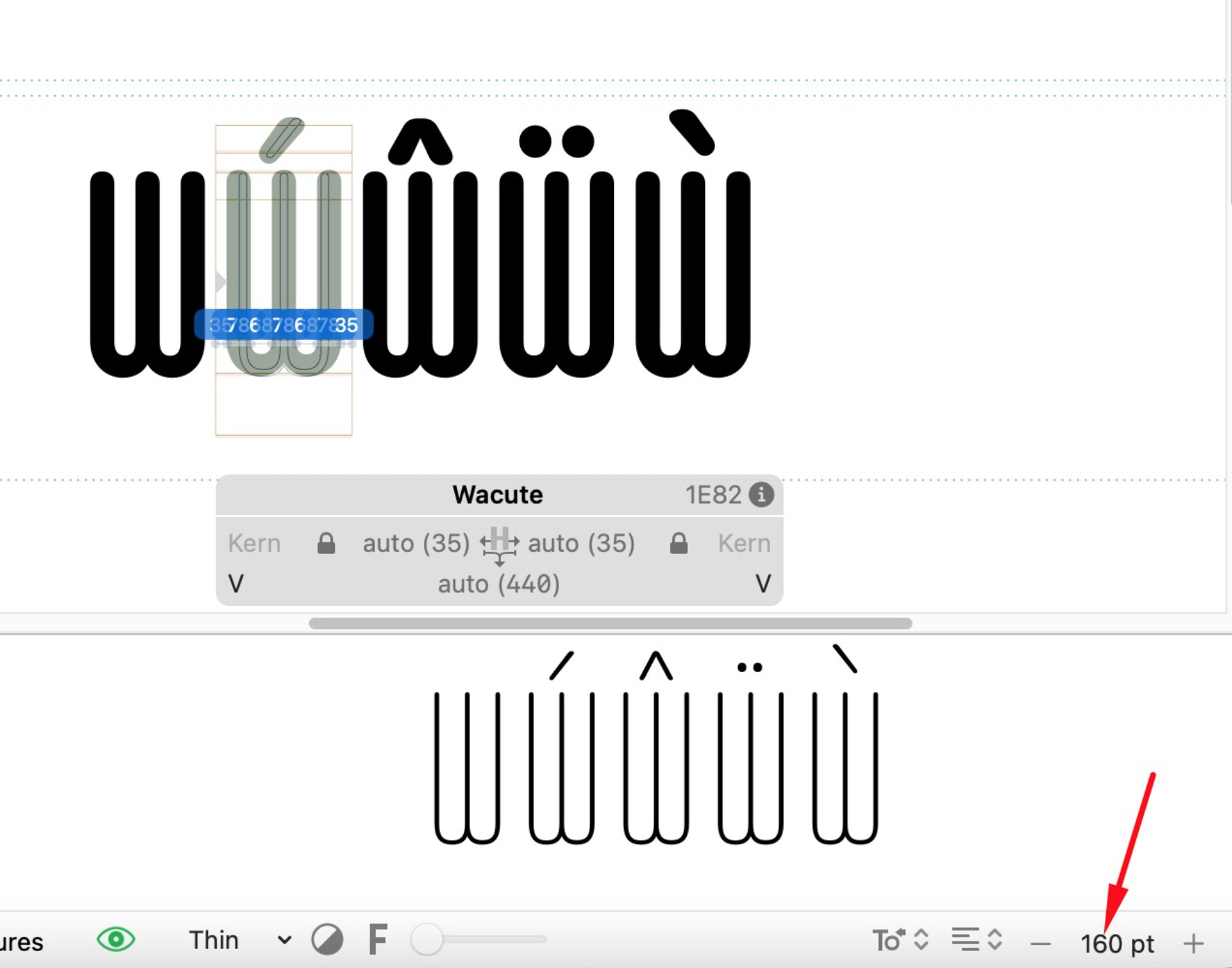
I tested the same behavior with a different font/project to rule out the possibility that the problem is related to my original font file. At 160 pt, the spacing looks normal.
*
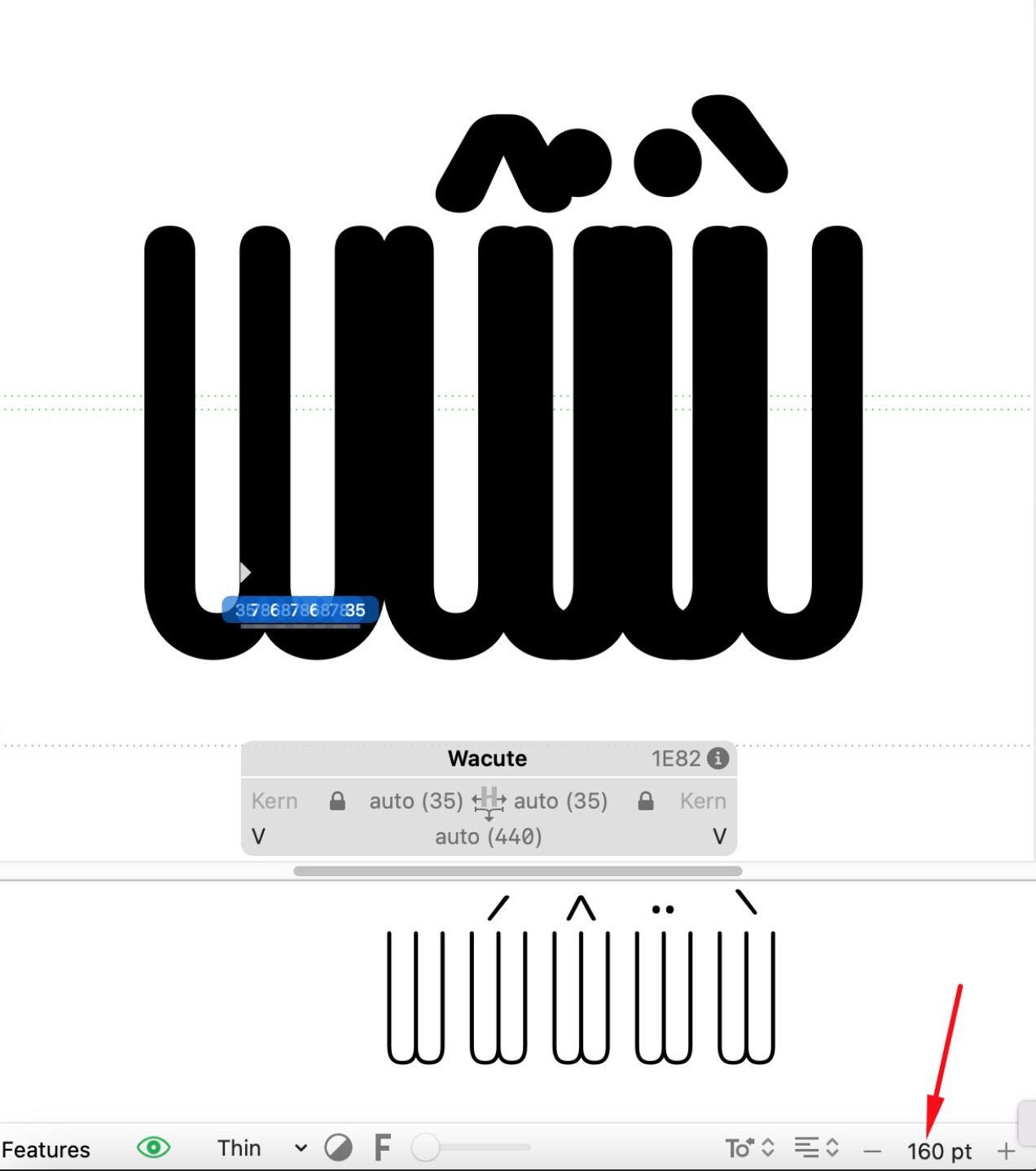
After pressing Alt/Option to zoom out, the opposite happens: the glyphs visually become much closer together and, in some cases, appear to almost touch or overlap.
I have also tested this with another font, and the same behavior occurs, so it does not seem to be specific to the font file.
Glyphs version: 4.0.1 (4004)
Could this be a rendering issue in Glyphs 4? Has anyone else experienced something similar, particularly when using Alt/Option to zoom out?
Any suggestions or explanations would be greatly appreciated. Thank you!