Components between masters

Is it possible to use a glyph from one master as a component in another master?

I’m working on a symbolic music font with 2 masters. One is for musical symbols centered on the baseline, the other is for the same symbols to be used in text applications. The only difference is the vertical placement and size. Otherwise the symbols in both masters are the same.

Yes. It’s currently somewhat hidden and only available through scripting.

@HugoJ wrote a nice plugin to make it available via an interface:

I’m not sure how this would work, since the ComponentMaster seems to be modifying the already existing components.
I also found this older discussion where you indicated using a component of a glyph in the same glyph is not possible. Feature request: the ability to share components across masters - #10 by SCarewe

Can you show an example of what you’re trying to do? I don’t think I fully understand.

For example, this glyph, for a “musical notation” master would straddle the baseline, but for the “text” master, it would just need to be shifted, to sit on the baseline. It would be much easier if the text master could use a component reference from the musical notation master.

An easier solution for your scenario may be to keep everything in one master in the Glyphs file, and switch the glyphs via a Custom Parameter in one instance.

Here’s an example file:

Music.glyphs.zip (3.4 KB)

Thank you. This is an interesting idea. I would need to apply transformation filter for every glyph. The problem is that a single master contains over 1000 symbols, so it would be more difficult to maintain.
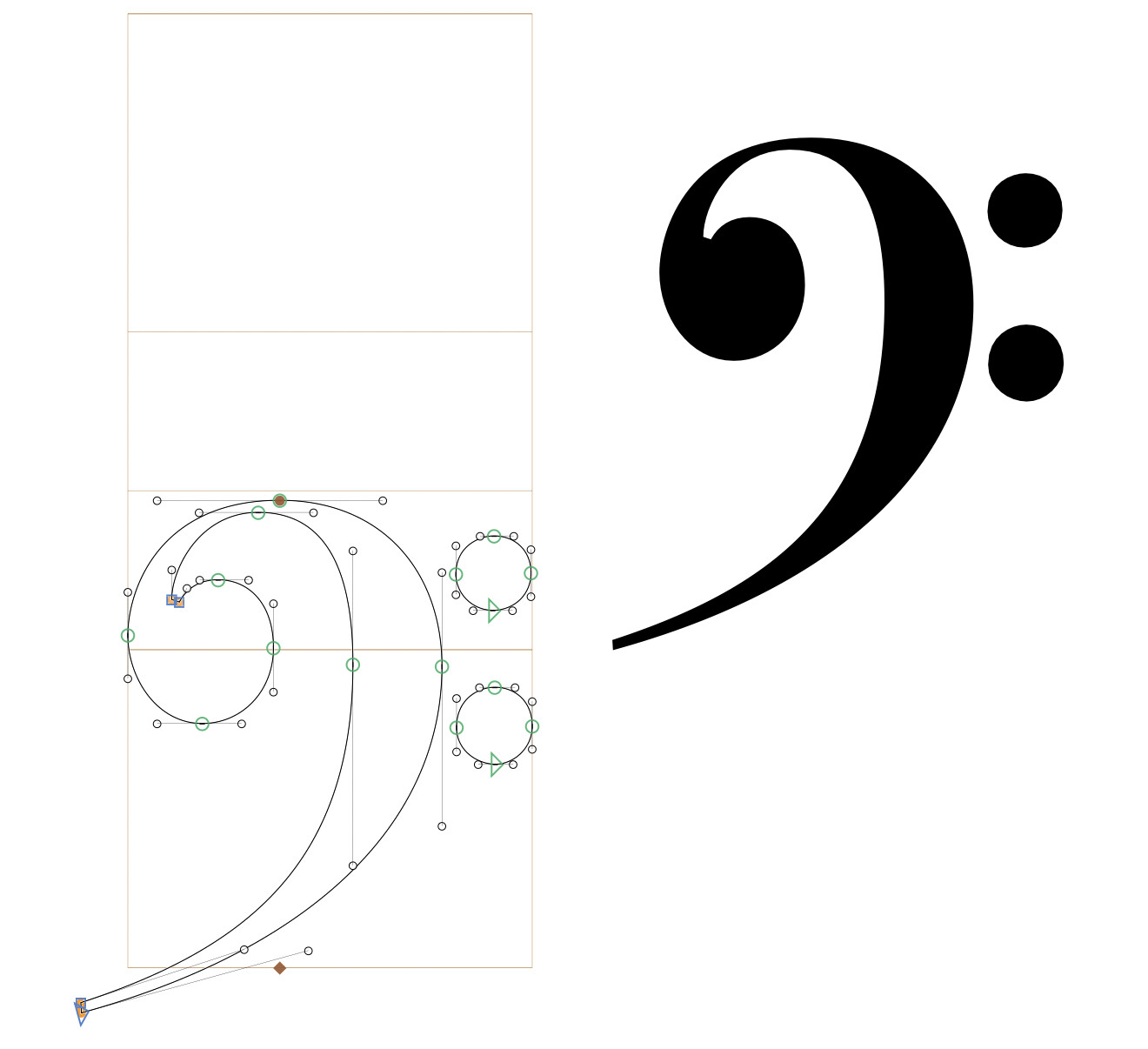
In this case I would also definitely recommend using one single master and shifting glyphs with an export parameter.

You can use a Transformations filter, with an “include” parameter which lists all glyphs. Maybe this is what Jen’s is doing, I didn’t check his file.

Do you need the same offset for all glyphs?

no, each glyph needs its individual offset and sometimes also resizing and rotation.

I see.

In that case, I would still not use another master. Instead:

  1. Duplicate all your icons that you want to transform.
  2. Add a sufix like “.text”, set them to non-exporting.
  3. Clear their contents and add their base glyphs as components instead, like with this small script:
for s in Font.selectedLayers:
    s.clear()
    s.components.append(GSComponent(s.parent.name.replace(".text", "")))

That will add a component of the base glyph to your selected glyphs (assuming that they have the suffix “.text”).

  1. In your “Text” export, add a “Rename Glyphs” paremeter, simply with: *.text=*
  2. Modify your .text glyphs as you like. In the export, they will be switched with the base glyphs.