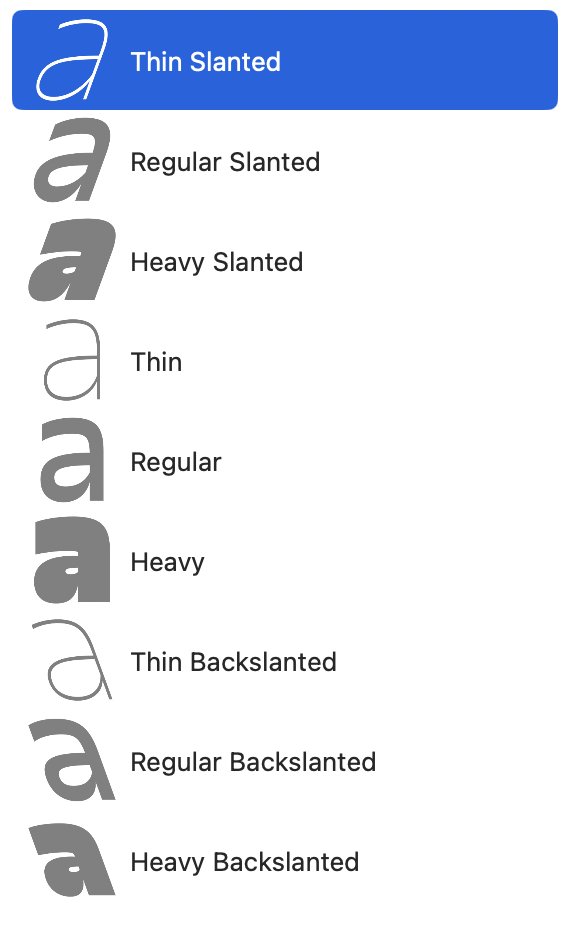
If you have Slanted and Backslanted masters in your Variable font, the only way I found to make the Adobe menu sorting neat is to position the Slanted masters on top of the list (Font Info>Masters) and Backslanted on the bottom (see picture). My guess is Adobe requires this because Slanted is in the negative part of the axis so it has to go first. Any other configuration I tried makes a mess of the Adobe app menu, usually putting the Heaviest style on top.
If you set the masters this way, and axes Weight then Slant you’ll get this kind of sorting:
Thin Slanted
Thin
Thin Backslanted
and so on…
I would love to hear if there’s another (or better) way to set it up, and I’m posting this because I spent hours figuring it out and there was no info on the forum or tutorials about it. Also, my static exports are sorted first by weight then in this order: Upright, Backslanted, Slanted — and I don’t understand why it differs from Variable.
Also related to Slanted font variable font export:
If the Axis location (custom parameters) and Axis Coordinate are not set at the same values it will result in a conflict.
For example, I had an Axis coordinate set positively (0 to 10), that I remapped using Axis location (-10 to 0). The slant worked in Font Googles but it was not working at all in browsers.
The remapping works perfectly in other axis, not sure what is special about the slant axis.
I am using the latest version of Glyphs.
(I am using this thread as it is somehow related to weird stuffs happening with Slant axis in variable font. Let me know if you prefer that I create new one)
The problem is that you are switching plaines (from 0–1 to -1–0). And the Axis Location handling can’t handle this. I’ll try to have a look but until then I would suggest to set the master coordinates with negative slant angels that you don’t need the axis location.
Ok! I agree, it should be set the right way from the start.
For some reason going minus for slant is intuitive (even though it the way). Also changing from using an italic axis to a slant one (which was the case here), meant also changing brace layers. I imagine I am not the only one to who that happened.
Anyway, it would be great if it could work with the re-mapping.