Thank you for the suggestion. I guess I might have to re-do everything all over again… Even though I’ve already mark-previewed check everything but I still don’t know what my real problem is… It seems almost like there’s a glitch or bug error…
Are you using the Adobe Fonts folder?
http://www.glyphsapp.com/tutorials/testing-your-fonts-in-adobe-apps
I usually export the font in normal way by import it in Font Book. But I also just tried to export and test the font through Adobe Fonts folder, the problem still occurs.
If you’d like to send me the Glyphs file I can take a look.
Here you go. Thank you so much.
Alongkorn_Test.glyphs (11.7 KB)
Ok, it looks like you haven’t written any rules in the font to tell it to use the maiTho-thai.small when following an abovevowel.
In the ‘features’ panel of font info, you need to add a feature called ‘calt’ which is contextual alternates. I tried ‘generate feature automatically’ but it just deletes the ‘calt’ feature (@GeorgSeifert is that expected?)
You’ll need to write the rules manually, the best way is to define some classes so you don’t have to write every individual substitution in full.
I’d suggest creating a class @abovemarks and adding saraI, saraII, saraEu, saraEuu, maiHanakat, and anything else that you’d like the upstairs marks to sit on. Then create a second class @upstairstonemarks for the maiEk.small, maiTho.small, maiTri.small, maiChattawa.small and anything else that you’d like to move upstairs. Then make a third class called @tonemarks, which will be identical to the second class, but without the .small suffix, so maiEk, maiTho, maiTri, maiChattawa etc.
Then, in your calt feature, we’re going to use the classes to tell the font to substitute @tonemarks with @upstairstonemarks when following @abovevowels. Here’s what you’ll write:
lookup moveToneMarks {
sub @abovemarks @tonemarks' by @upstairstonemarks;
}
You can choose whatever lookup name you like, I chose ‘moveToneMarks’ so I can easily see what the rules are doing. The substitution is looking for any glyph in the @tonemarks class when following any glyph in the @abovevowels class, and replacing it with the corresponding glyph in the @upstairstonemarks class. Note the ’ after @tonemarks, this is the OpenType method of signalling what is being substituted.
Having said all that, it’s not actually important to use the .small version, we should still see the default maiTho anchoring above the saraIi in the font correctly. @GeorgSeifert could you take a look and see why the _maiTho is anchoring onto the base instead of the saraIi? [EDIT: when typing ก้้ with two maiThos, they stack fine.]
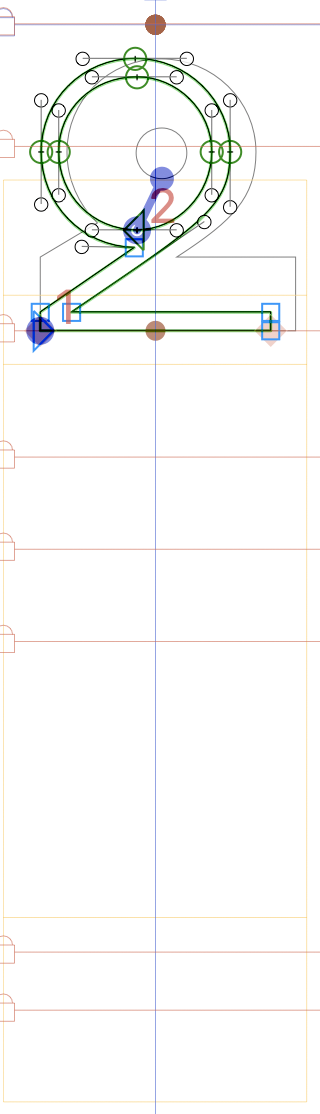
No, I haven’t written any rules in the font to tell them to do anything, as I know absolutely nothing about scripting. And that’s why I spent a few days trying to mark everything so that the marks can appear in the exact position I want them to be. For example, in letter koKai (ก), you can see that all the marks are in the same position (yes, marks are on top each other in the middle), while letter khoKhai (ข), marks are on the same line but different position. I did this in hope of creating rules for each letters individually, so that I can change their positions freely without they affecting another on other letters.
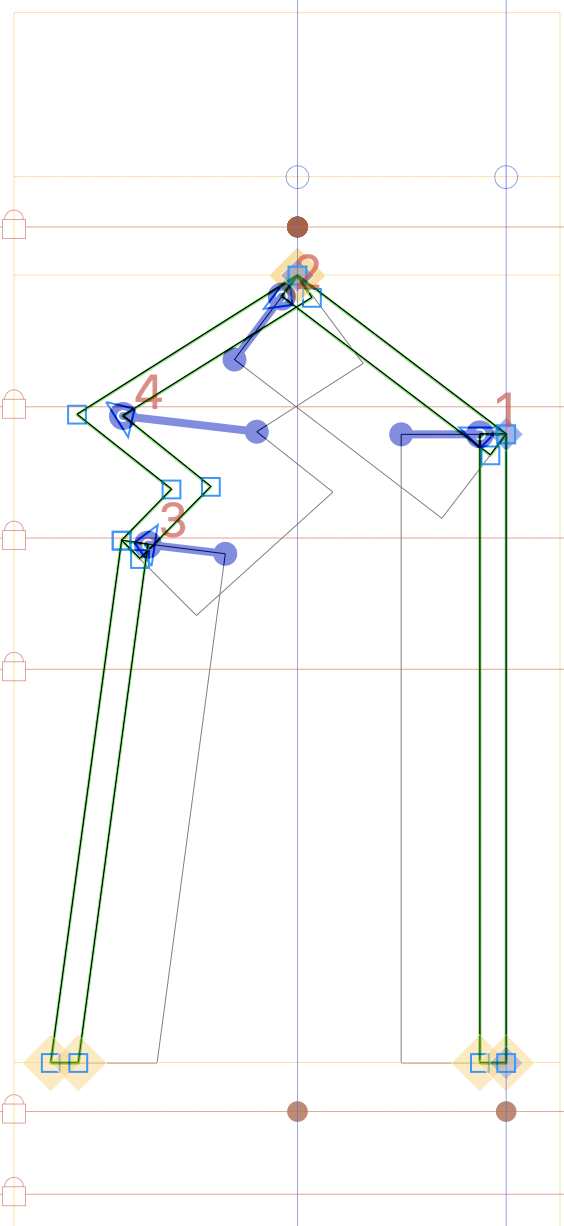
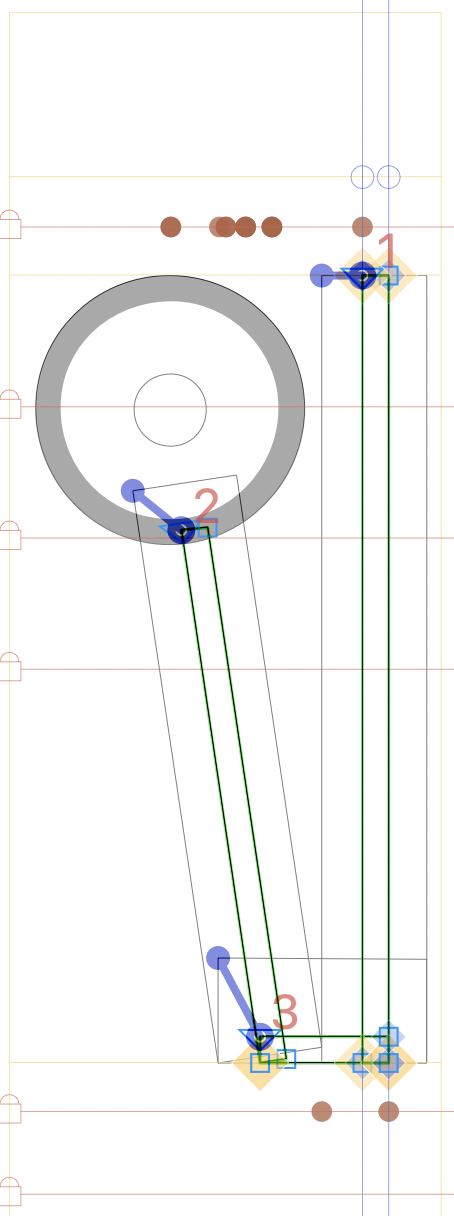
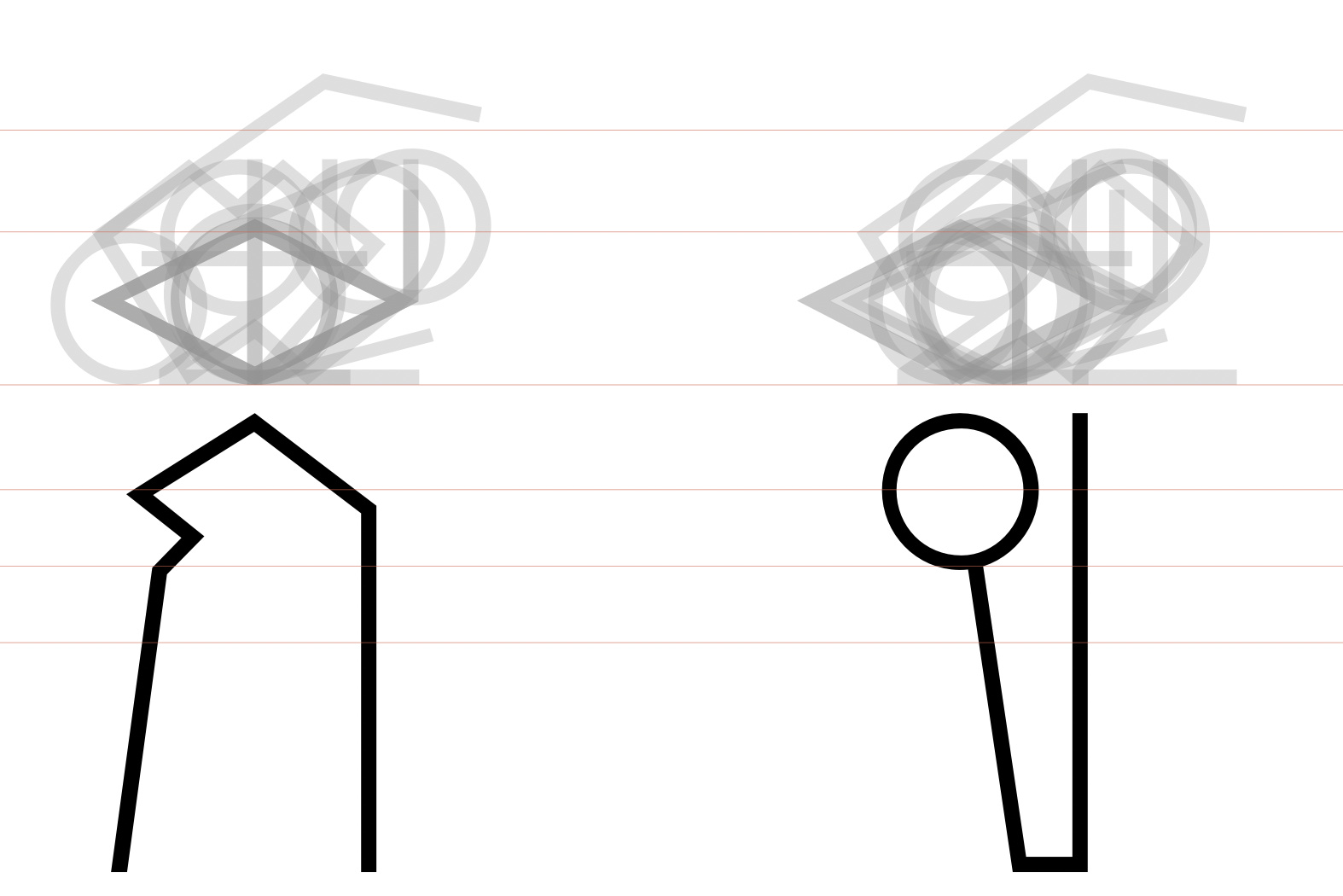
Meanwhile, I also did the same for all marks. And to stack more marks on top of each mark, I also give them the rule by marking them on the position I want them to appear. Some marks that I mark are on top each other, but some are not.
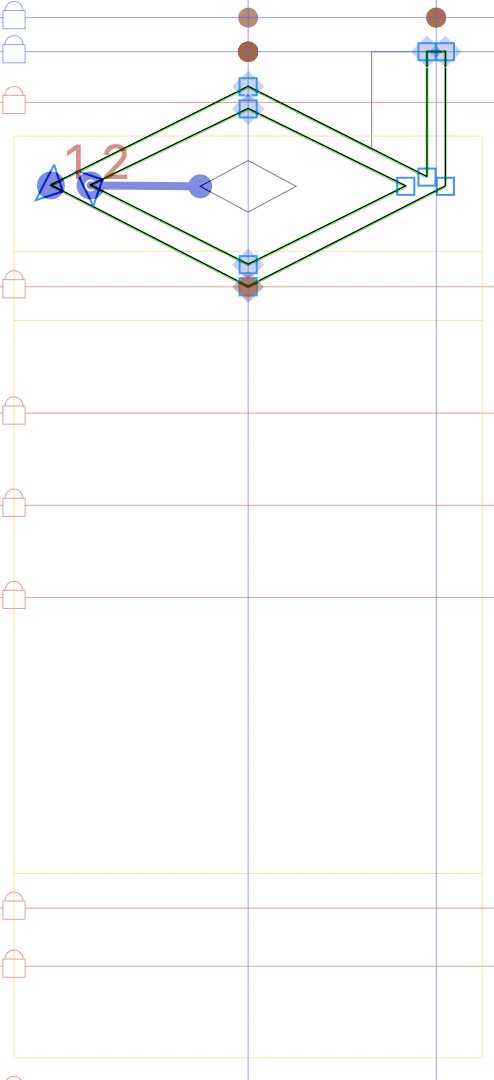
With Mark Preview, this is how it appears (and also what I would like them to appear once I export it and try it out on InDesign or etc.);
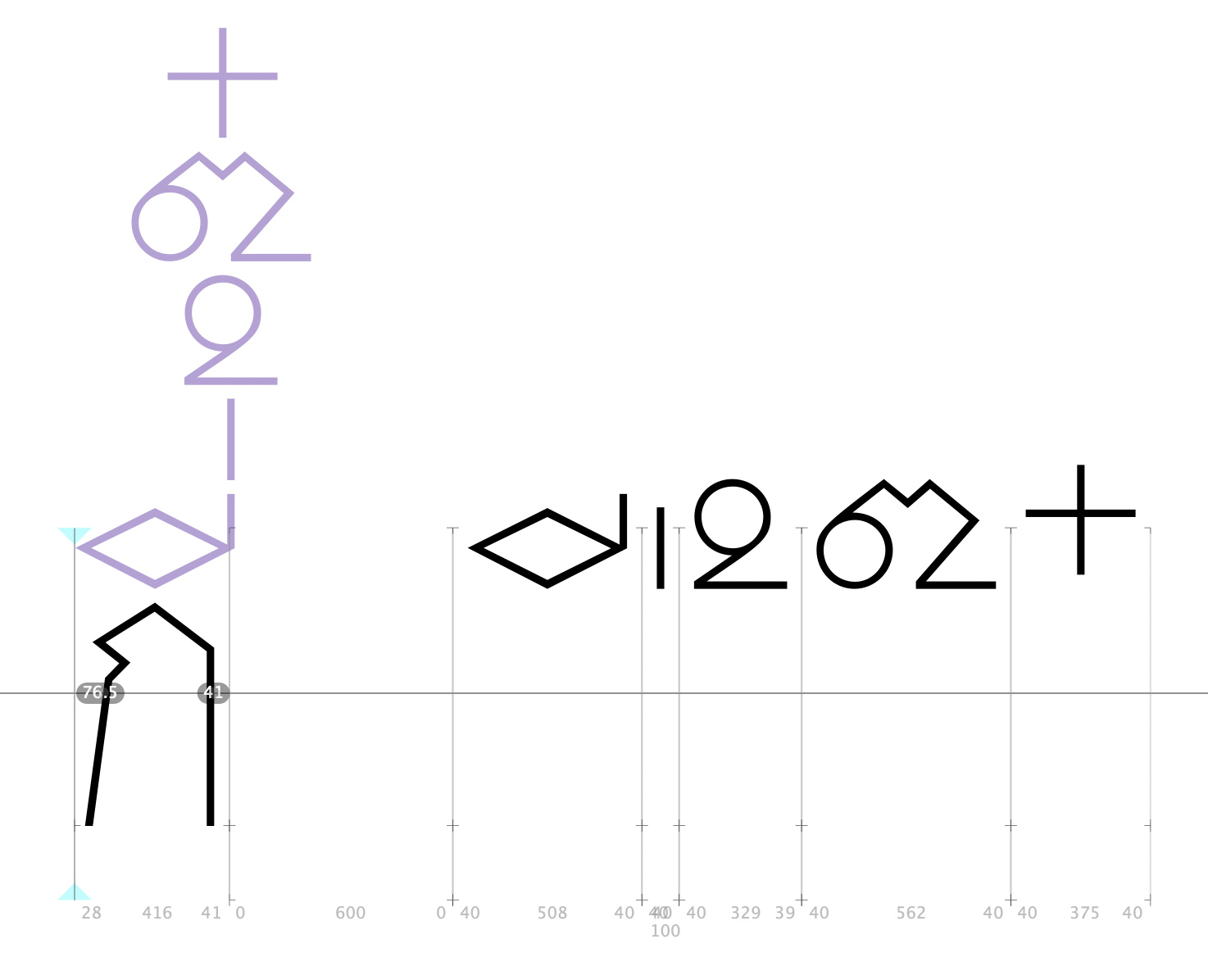
I know the process I’m doing is rather slow and confusing, but I just thought this method also works for me without having to script anything. (Well, if it shows in preview then it might as well work out in reality, I thought.)
Every Thai font needs OpenType features, but perhaps Georg can find a way to make more of it generate automatically. Standard lookups would go in the following features:
- [ccmp] decompose saraAm into nikahit and saraAa;
- [calt] convert yoYing and thoThan to .less versions when there’s a mark below;
- [calt] use .narrow versions of marks, if present, on consonants with ascending parts (and, in the case of narrow tonemarks, ignoring any belowvowels on those consonants);
- [calt] convert tonemarks to upstairs versions after an abovevowel, and before nikahit;
- [calt] use .short versions of loChula, doChada and toPatak, if present, with abovemarks (loChula) or belowmarks (doChada, toPatak);
- [rlig] use ligatures of ru-thai_lakkhangyao and lu-thai_lakkhangyao, if present;
- [kern], [mark] and [mkmk] features are automatically built;
Your mark positioning strategy should work, I think. I can’t tell what’s going wrong.
I’ll have a look into the features.
With this, do you mean by the user has to type nikahit (ํ) and saraAa (า) in order to create saraAm (ำ)?
I test this with some Thai fonts on InDesign and it works automatically!;
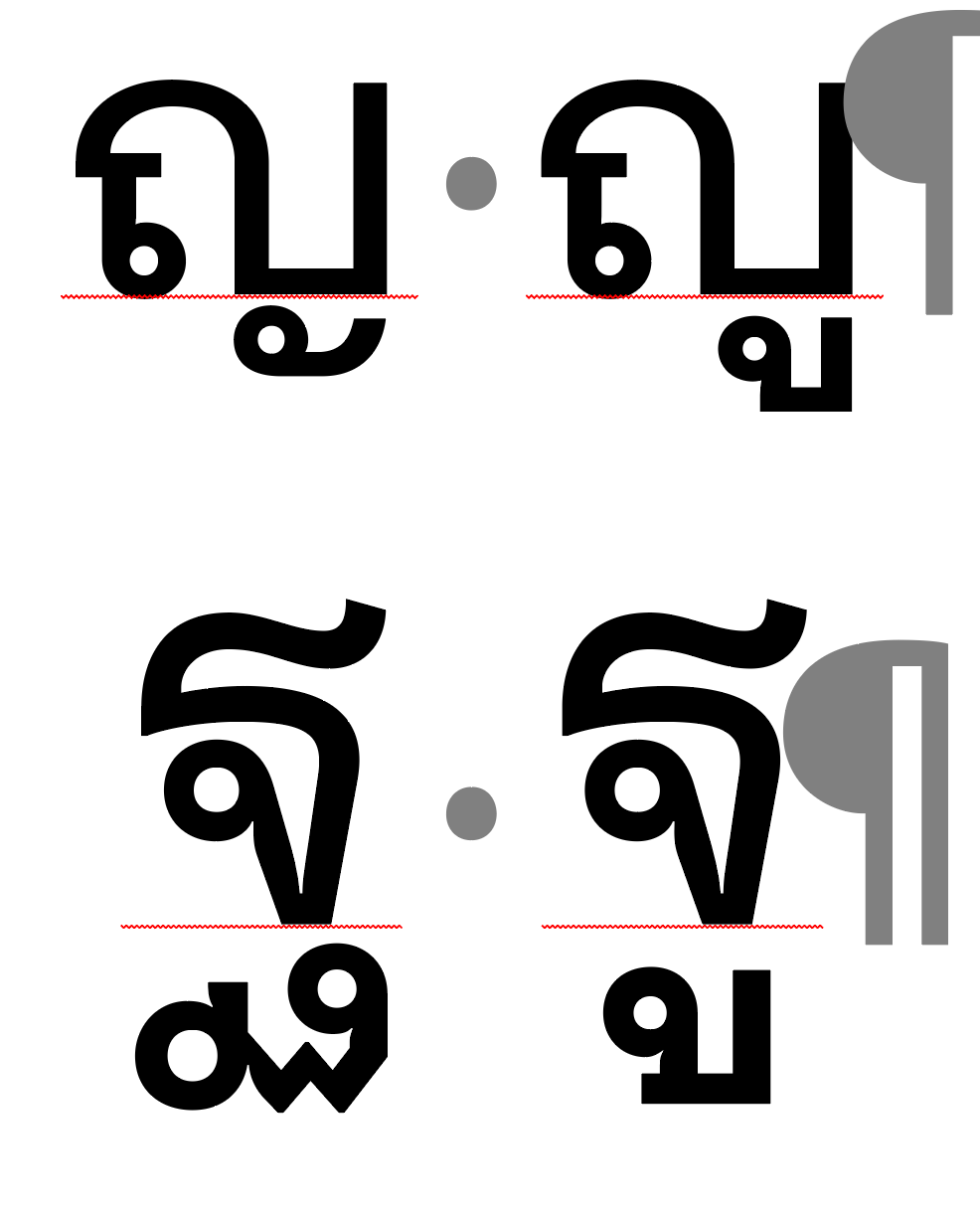
This also works automatically too;

As well as this;

I’m glad that you understand my marking strategy even though it is such a manual and repetitive way. Would you say that right now the problem is more about how Glyphs is unable to process all unicodes and marks positions I did? I just want to know that so I can proceed to the next step. And to know whether what I did is somewhat possible, or I should use a marking strategy in a more traditional way (I mean, by using top and _top for all marks).
Thank you so much!
The reason these things all work automatically in InDesign is that the font contains OpenType instructions to make the substitutions. Your font will need these instructions too 
No, the opposite. The user types saraAm and the font decomposes into nikahit and saraAa so that nikahit can be positioned correctly without moving saraAa, so that tonemarks can attach correctly to nikahit, and so that any kerning for saraAa works without affecting nikahit.
Let’s see if Georg can figure out whether Glyphs can compile everything. I think it should be possible. But I’d also say that keeping things simple is always beneficial. Having so many anchors means a lot of adjusting if you decide to change something, or if you want to add a new master. However, it sounds like your project is more experimental and the complexity is part of that, so it’d be good to persist a bit more.
Is this instruction can only be prescribed through scripting? At this moment I don’t know how to script in Glyphs right now, and not sure if I will have enough time to learn everything from the scratch in order to finish outcome for my thesis. However, I would really love to learn more about it so that I can do it myself in future project.
Ah I see. I got it now.
I really hope that this is possible. Otherwise I would have to go back and do mark everything in the most basic way, which I don’t have a problem with that if it is the only solution. However, just like you said, my project is more experimental and complexity is really a part of that. I would be glad to show you the outcome once it’s done. But for now, let’s hear what Georg will say. 
I’ve been talking with Georg over the last couple of days, and it looks like Glyphs will be able to compile everything automatically so there’s no need to learn about OpenType feature coding (though it’s always good to understand how it works so you can adjust or expand the code). For now, if you open the features panel in font info and click the ‘update’ button then most of the code is generated automatically, and some improvements are on the way.
Thank you so much @GeorgSeifert and @Bendy! I checked what you listed here;
and tried several ways of combining marks (based on my mark strategy), and this is how it looks like so far;
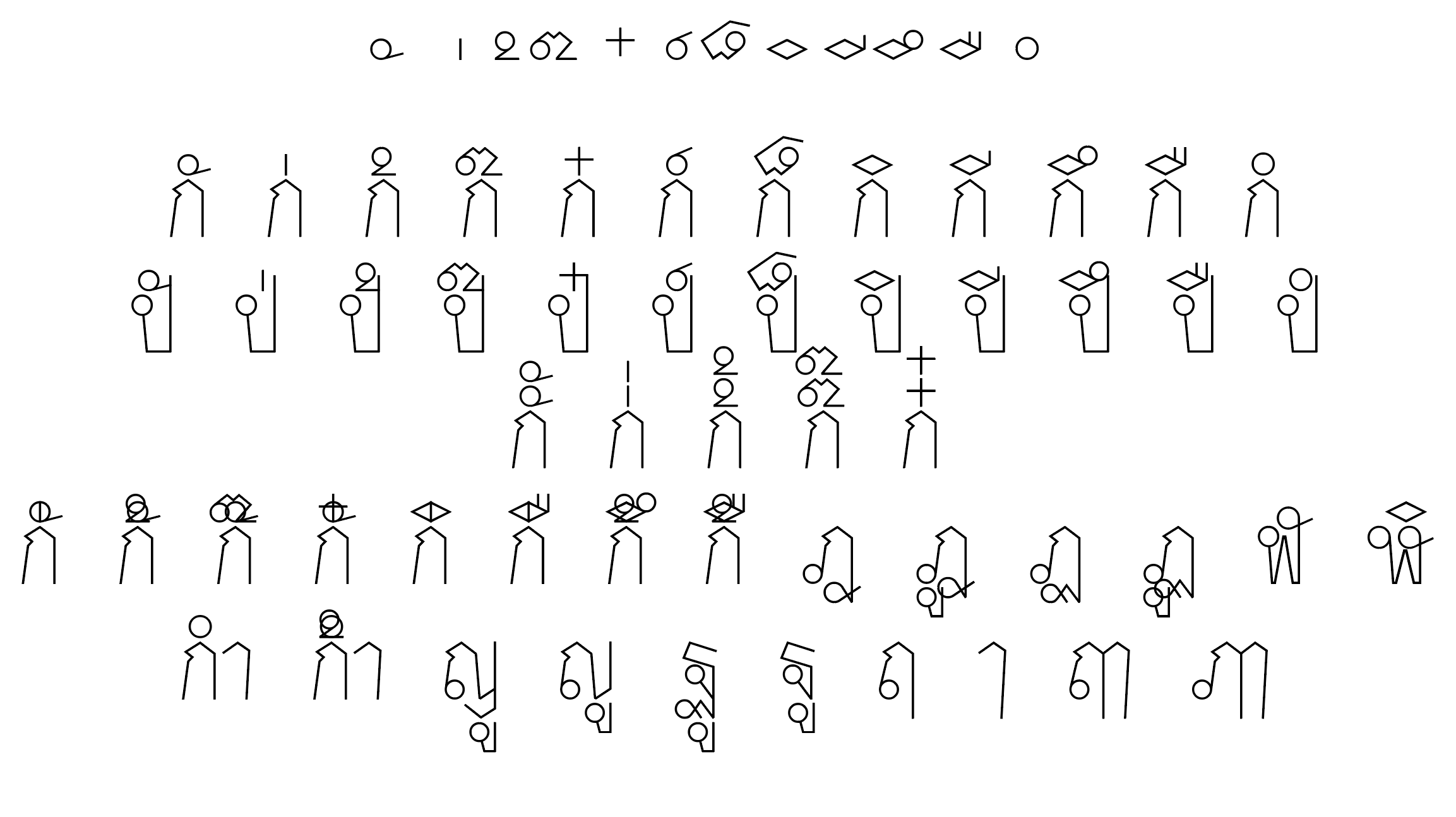
- I am able to type all marks independently. And this is also due to the fact that I defined glyphs with ‘nonspacing’ feature, right?
- All combining marks are shown correctly on consonants,
- as well as on consonants with ascending parts (through the use of .narrow versions).
- Converting yoYing and thoThan to .less versions when there’s mark below is still not working.
- Converting tonemarks to upstairs versions on saraAm or nikahit is still not working.
- I am able to stack the same mark on top of each other,
- however, stacking different marks on top of each other is still not working.
- Using .short versions of loChula with abovemarks, and doChada and toPatak with belowmarks are now possible.
- Using ligatures of ru-thai_lakkhangyao and lu-thai_lakkhangyao are now possible.
Wow! Now I am just amazed by how scripting can do. I will definitely look more into that. Would you say that I should start from this site?; Introduction
I am super excited to see how it all will turn out already! Thank so much once again! 
Have you tried to click the “Update” button in Font Info > Features (in the lower left). It should give you most of the features you need (if you have the right glyphs). Ben suggested some changes but I think most things should work.
Hey Georg, the problem is the mkmk feature, I think, it doesn’t seem to be compiling quite the right way that the anchors are defining. The anchor strategy is unusual, but I don’t think it should cause this problem. The yoYing/thoThan problem will be fixed with the changes I suggested.
Alongkorn, yes, the OpenType cookbook is a great intro!
Can you send me the file. And also a test file/string that has a some combination that are not working?
And can you send me a sample string, too?
Hell Georg. Here’s the file. It should contains all glyphs that still have problems with combining; Alongkorn_Test_2.glyphs (93.1 KB)