Won’t accept my .glyphs3license file on drag. It still works as trial until august but…
When I right-click on the canvas in Glyph Edit mode, I don’t see ‘Show Smart Glyph Settings’.
I can’t reproduce this
Can you add screenshots of the state of the UI? I’m not 100% sure I understand what UI elements you mean.
I don’t think it has to do with the version of macOS. Do you mean the many info boxes. I’m planing to get them more compact. Will do that soon. It has to do with the “Pen Point” features.
Drag it on the app icon.
1 Like
Those are removed. Smart glyphs are set up in the axis sidebar (left sidebar, third tab).
1 Like
Yes I updated my message with a screenshot.
I think the liquid glass style used in the left sidebar will increase reading difficulty, especially the meaningless and useless space in the top left corner. this seems to be a “bug” only appears in Mac os26, but isn’t really a serious issue because we can choose system version flexibly. by the way, I really like the glyphs4.
I’d like the plugin to have an automatic migration feature. I wonder if this will be available after the official release of glyphs4.
In the Palette, wouldn’t it make sense to place the new Navigate section above the Layers section?

This is fixed by Apple in macOS 27 which will be release later this year.
I’m widely using a segment component and it does not interpolate between my two weights when using the variation slider. As I’m sliding between weights, it shows this red question mark and the shape of the glyph appears without the component.
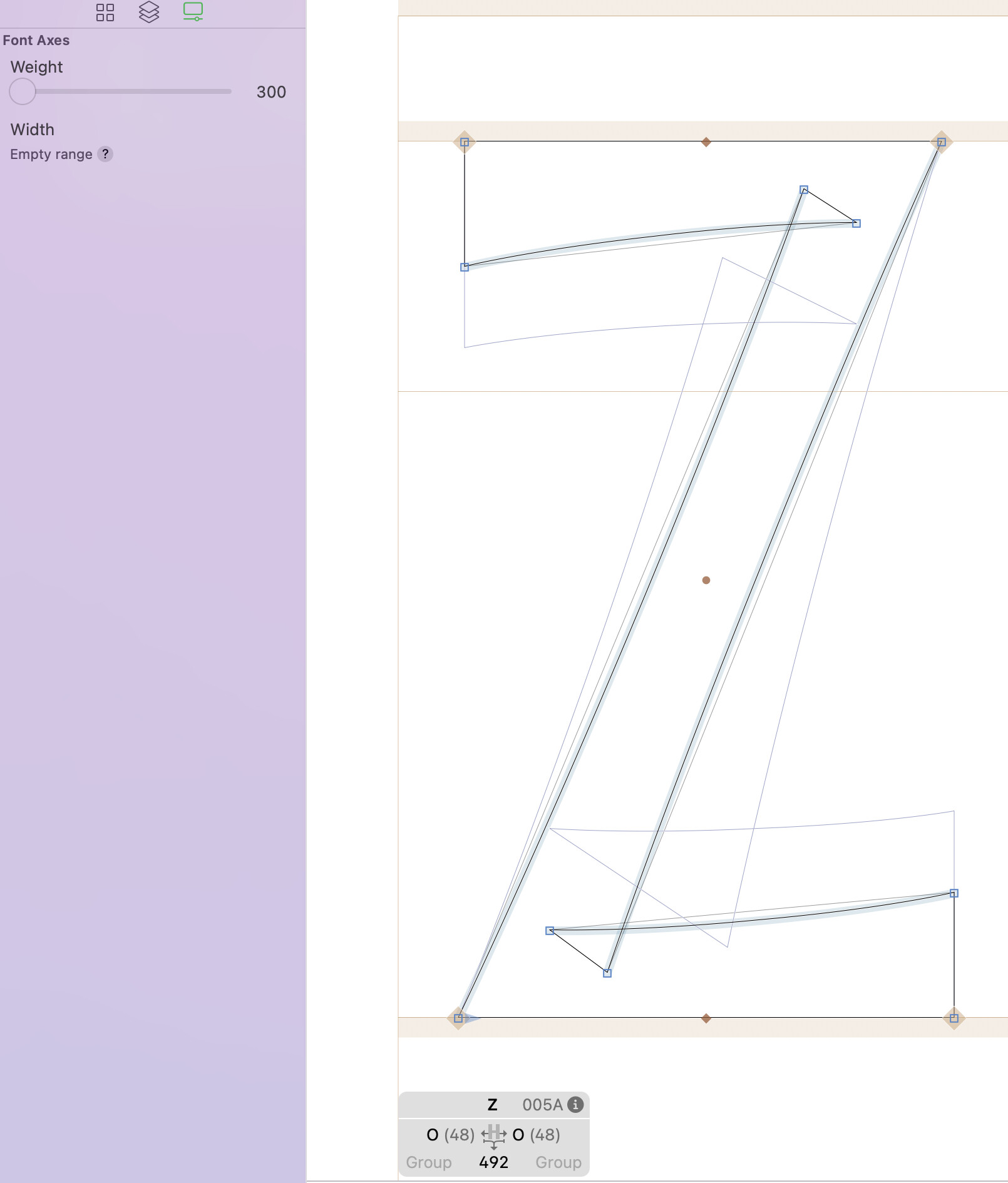
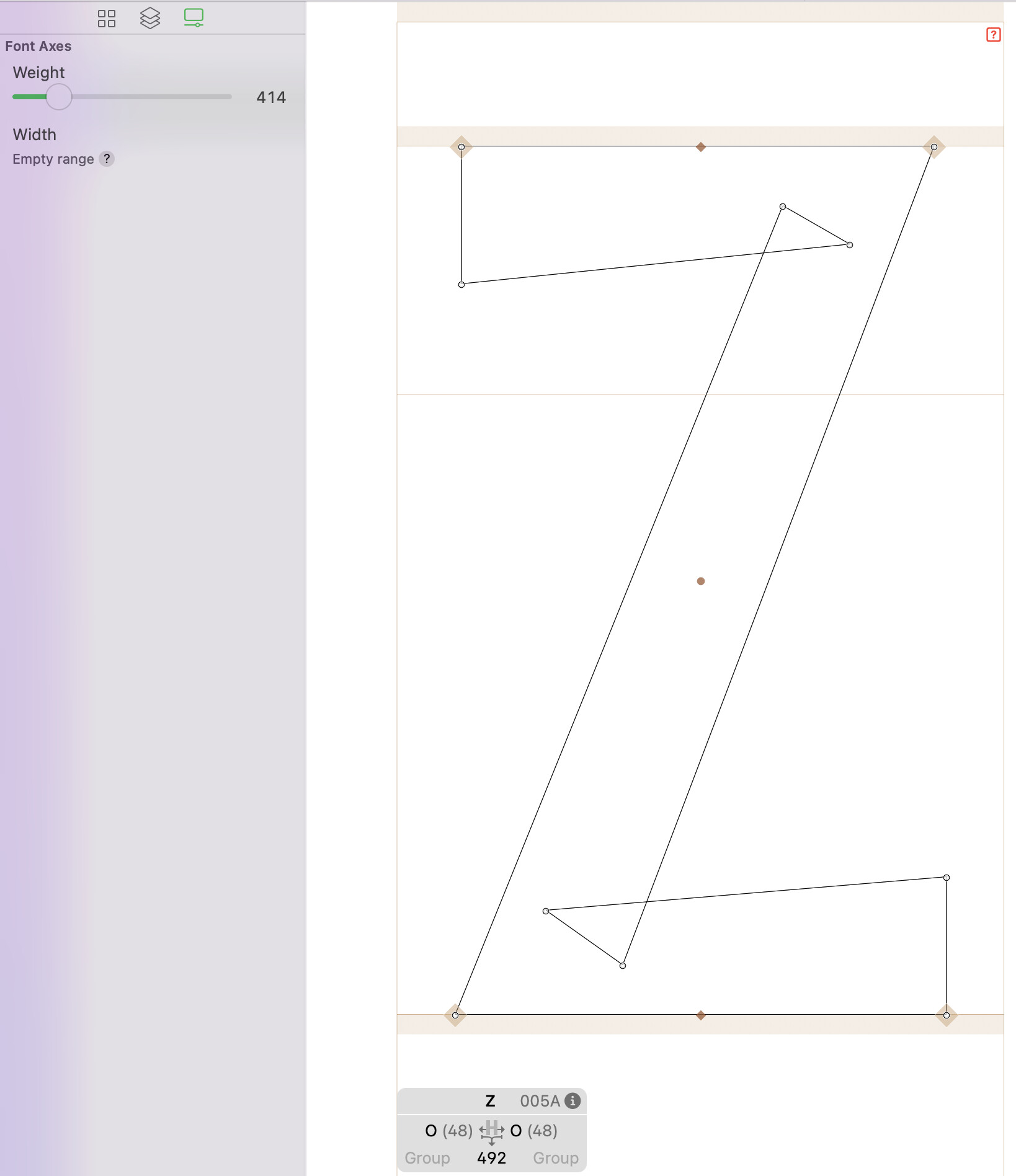
can you send me a test file?
Sadly, this version of Glyphs 4.0 keeps crashing on my macOS Monterey 12.7.6. It doesn’t manage to open, and if it does, it lasts two or three seconds before closing, without the possibility of sending crash reports  Is there anything I can do?
Knife tool only working on one side of the shape. Does not cut through more than one point.
For the new balance handles button (in the fit curve palette), is there a keyboard shortcut for that? I cannot find one in shortcuts settings.
The balance tool doesn’t always preserve the curve shape.
Thank you for this update. I have been a Glyphs user since the first version, and I currently own licenses for versions 1 through 3. Why am I unable to upgrade directly from Glyphs 3 to Glyphs 4?
I also have another question, please:
Why is it not currently possible to open WOFF and WOFF2 files directly in Glyphs, as it is in FontForge? Could support for opening these file formats be added, and is this feature planned for a future release?
Thank you.