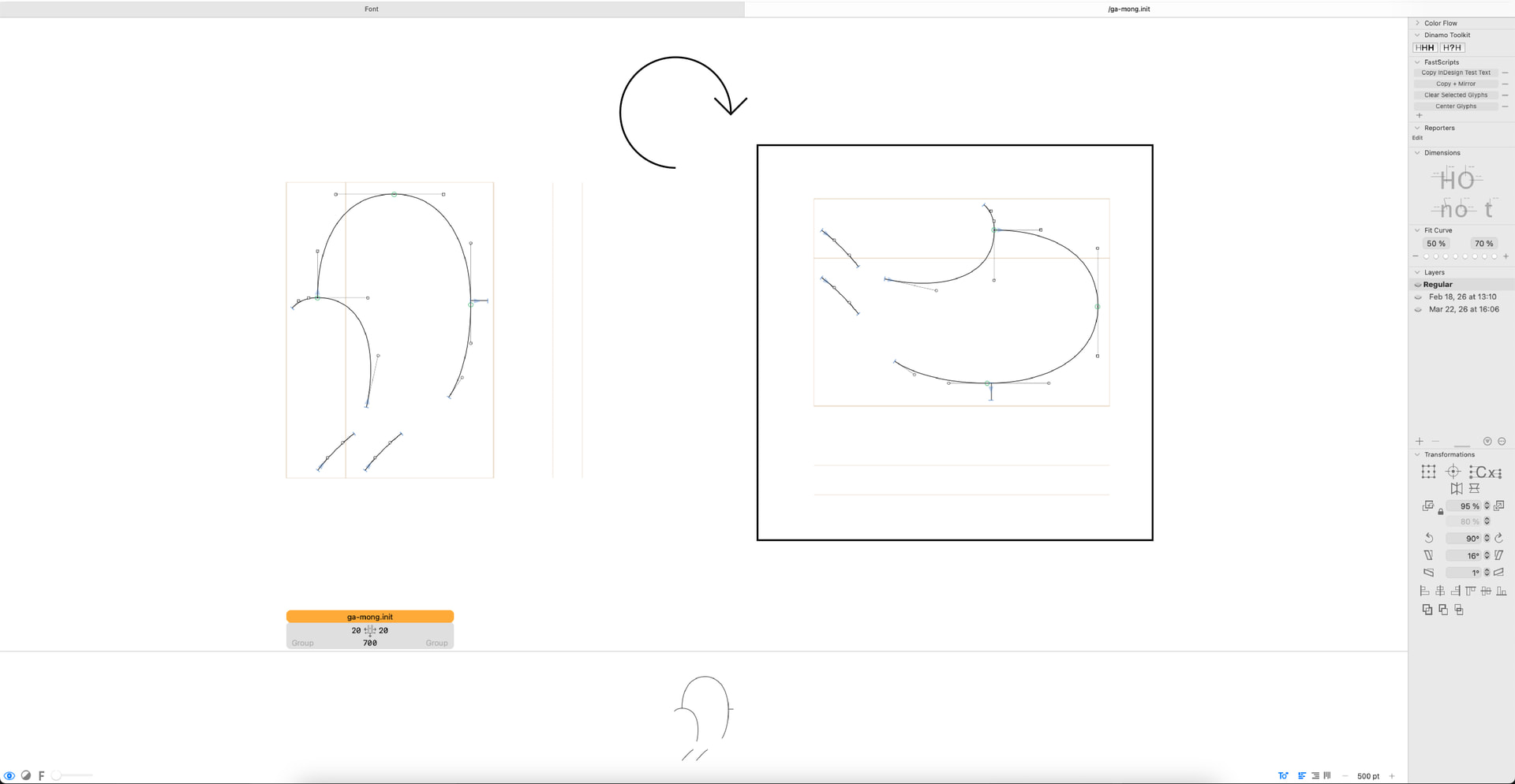
Is there a script to rotate the glyph editor 90° CW for designing Mongolian?
Thanks!
Manda
Is there a script to rotate the glyph editor 90° CW for designing Mongolian?
Thanks!
Manda
What do you mean by rotating the glyph editor? Or are you referring to vertical (top–down) writing direction? Activate that here:
Yes, I know. That’s why I said you can change the writing direction from top to bottom with this button on the right:
You can find it in the bottom right corner of your preview window.
It looks like it’s only for the writing direction, not for designing each glyph?
I was wondering if this was possible on Glyphs

I see. You want to design it horizontally, and then have it rotated in the export?
Maybe this thread is relevant (a lot of text, sorry): Ideas about a better vertical mode of the Edit view
The opposite, design vertically 
That is a historic artifact that the glyphs are drawn horizontally but displayed vertically 90° rotated. There is currently no easy way to preview that.
I’ll have a look.
Thanks, it would help a lot !!
@SCarewe and @GeorgSeifert,
Mongolian script doesn’t work the same way in fonts and layout as CJK, which is what the Glyphs app’s vertical preview mode is for. CJK glyphs do not rotate between horizontal and vertical layouts, but Mongolian glyphs do rotate, exactly like Latin, except the vertical layout (the Latin “book spine” kind of layout) is the natural one.
Besides not rotating Mongolian glyphs as expected, Glyphs also incorrectly recognizes a Mongolian glyph’s orientation (as shown by the incorrectly rotated metrics lines in the horizontal layout).
Thanks for this information, Liang! Live and learn 
Basically vertical rotated (Mongolian, Latin, etc) and vertical upright (CJK).
I think a plugin window should be easy enough, having developed one before. I can try.
Also, @GeorgSeifert,
That is a historic artifact that the glyphs are drawn horizontally but displayed vertically 90° rotated.
That’s not just a historical artifact. Mongolian fonts would be produced in this very same way even if we got to remake the decision, because rotating is the only sensible solution for the Mongolian script to switch between vertical and horizontal layouts.
I can see why it could open a whole can of worms if Glyphs tries to adapt its vertical preview mode to rotate some glyphs while keeping the others upright (the best reference is UAX #50: Unicode Vertical Text Layout but it’s still not the whole story). Then the most straightforward solution would be an alternative vertical layout where all glyphs are simply rotated.
@Tosche, would such a plugin window be able to provide the complete drawing experience?
I think he meant a preview only solution like his Waterfall plugin?
What I could do in Glyphs is to switch to the vertical preview whenever Mongolian is edited and rotate the drawing. So editing would still be horizontal but one would see how it looks in vertical.
Fyi, though you probably already know, currently the best practice (used by Tengis, at least) is to view a preview panel (“Window” menu > “Preview Panel”) on a rotated display. This is of course far from ideal because you don’t get to see the outlines in the correct orientation when drawing.
Another solution is to hijack the Glyphs app’s vertical layout mode: Draw Mongolian glyphs in the vertical orientation in this vertical layout mode, ignore how the glyphs don’t actually rotate in the horizontal layout mode, and programmatically rotate all the glyphs when exporting.
@GeorgSeifert, the low hanging fruit for you now is to consider how to take a step back about the weird metrics situation in Mongolian glyphs. Probably just remove any special treatment so Mongolian glyphs can at least behave like Latin glyphs. The current confusion is unlikely helpful to anyone, and it’s difficult to work around this.
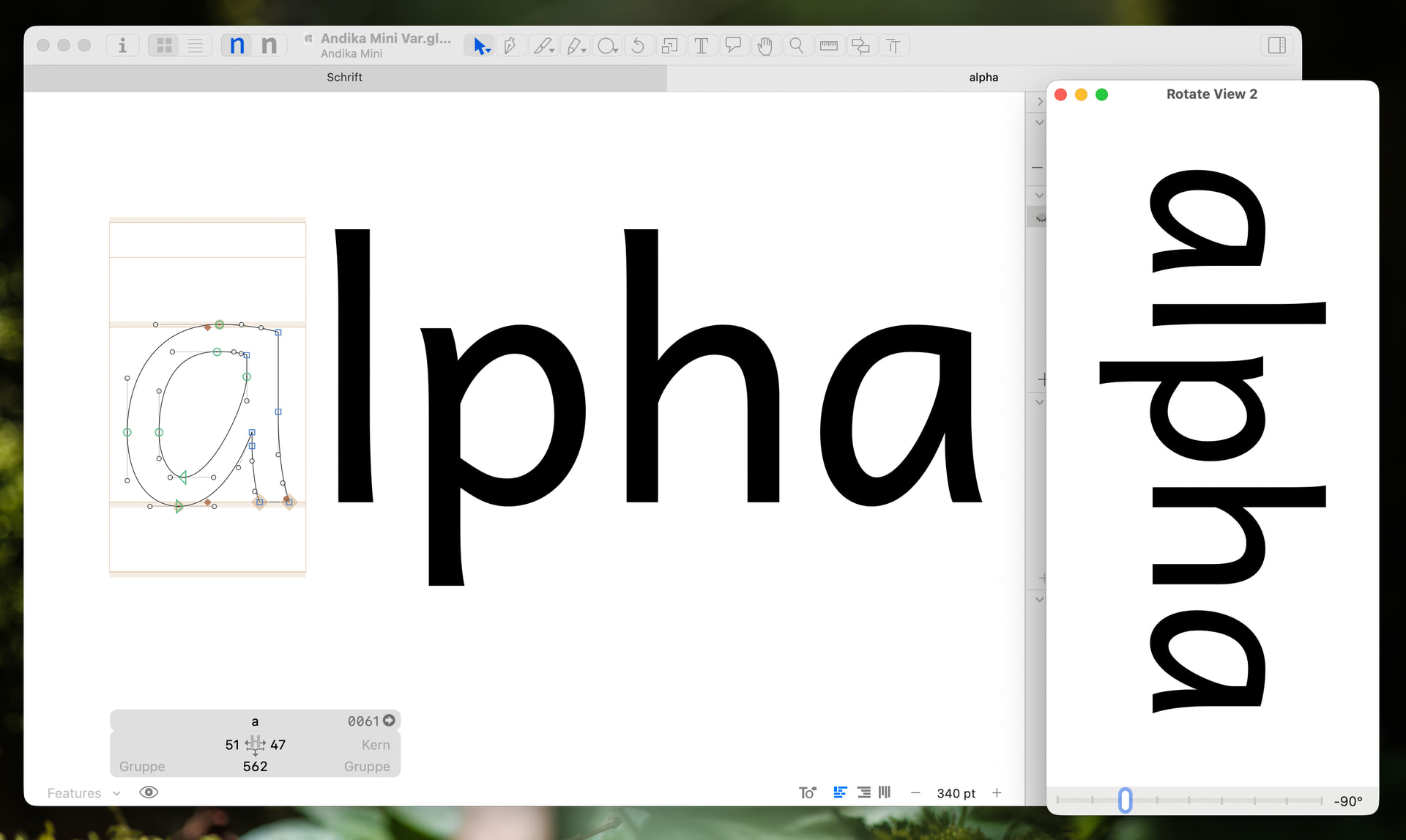
My idea is a separate preview window like my Waterfall or Rotate View 2. It won’t provide editing functionality but give you a LTR or RTL control; otherwise I try to display the same tab content.
Yes, preview panel or the glyphs viewer is the solution for now.
I’m currently working on a single-line typeface. It doesn’t seem to display open paths?